Description
How To Select Your Machine:
Please Note: Any machine with a 3000mm Axis is not covered under our flat rate shipping. We will contact your with a shipping quote for the 3000mm extrusion.
Step 1: X-Axis Length
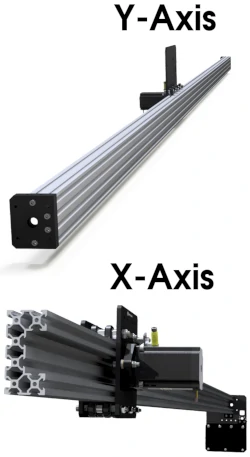
In this step you are selecting what length you want your X-Axis to be. The X-Axis is the suspended axis with the gantry that moves in the left-to-right direction.
We recommend the X-Axis is 1000mm or 1500mm.
Step 2: Y-Axis Length
In this step, you are selecting what length you want your Y-Axis to be. The Y-Axis is the dual actuator that runs in the front-to-back direction.
If increasing the length of the machine to 3000mm to work on full sheets we recommend the Y-Axis is the 3000mm length. This is because the Y-Axis is supported along the length by the spoiler board which makes a very strong and sturdy 3000mm axis.
Step 3: X-Axis Transmission
In this step you are selecting what transmission you want to drive your X-Axis.
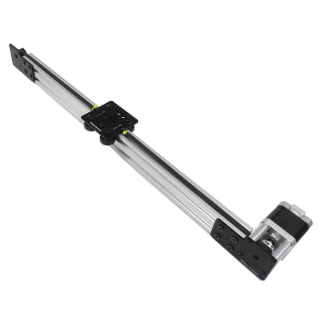
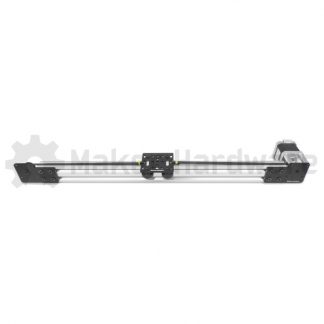
Lead Screw is available in 1000mm and 1500mm. Gear Rack is available in 1000mm, 1500mm
We recommend Lead Screw for a 1000mm axis, and Gear Rack for a 1500mm and 3000mm axis.
Step 4: Y-Axis Transmission
In this step you are selecting what transmission you want to drive your Y-Axis.
Lead Screw is available in 1000mm and 1500mm. Gear Rack is available in 1000mm, 1500mm and 3000mm
We recommend Lead Screw for a 1000mm axis, and Gear Rack for a 1500mm and 3000mm axis.
Step 5: Frame Colour
In this step you are selecting the colour of the extrusion. The options are Silver or Black.
If you have a 3000mm axis then only Silver can be chosen.
Step 6: X-Axis C-Beam Extrusion
In this step you are selecting what C-Beam Extrusion you will install on the X-Axis (left-to-right). The C-Beam Extrusions is the main beam that the gantry runs along.
We recommend C-Beam HEAVY for the X-Axis.
Step 7: Y-Axis C-Beam Extrusion
In this step you are selecting what C-Beam Extrusion you will install on the Y-Axis (front-to-back). The C-Beam Extrusions is the main beam that the gantry runs along.
We recommend Standard C-Beam for the Y-Axis.
Step 8: Stepper Motor
In this step you are selecting what Stepper Motor you want to install on the machine. If you are using your own Nema23 Stepper Motors you can choose “No Stepper Motor”.
You can choose any motors if you have Standard C-Beam and Lead Screw transmission.
You can only choose No Stepper Motors or High Torque Stepper Motors if you have C-Beam HEAVY or Gear Rack transmission.
Step 9: Cable Management System
In this step you are choosing if you want to add a Cable Management System to your machine.
If you do not want to add a Cable Management System you can continue without selecting one.
We recommend adding the Cable Drag Chains
Step 10: Electronic System
In this step you are selecting the Electronic System you would like to run your machine.
If you are using your own you can add just the cables, or choose not to add any.
We recommend the xPRO V5.
Step 11: Spindle / Router Mount
In this step you are selecting a Spindle or Router Mounting Bracket.
If you are using your own router you can get just the bracket. You can continue without selecting an option.
If you have a 3000mm Axis you cannot choose a Water Cooled Spindle – Contact us if you want to special order the Water Cooled Spindle.
Step 12: Touch Probe
In this step you are selecting a type of Touch Probe.
You can continue without selecting an option.
Step 13: End Mill Starter Set
In this step you are selecting an End Mill Starter Set. These sets are great general purpose sets.
You can continue without selecting an option
Step 14: Surfacing Bit
In this step you are selecting a Surfacing Bit.
You can continue without selecting an option.
15: Review and Purchase:
This is the last stage of the selector. Here you review your chosen options as well as the price of the components. You can go back and edit the options you have selected.
NOTE: If you go back and edit the options then you will need to go through the following steps again as the available options may have changed.
If you have any questions along the way!
Email: sales@makerstore.com.au
Phone: 03 9005 1160
Via Live Chat
Estimated Freight for 3 metre Machines
All CNC Machines up to and including 1500mm Axis are covered under our flat rate shipping. This is FREE to all Australian Mainland & Tasmanian capital cities, and $25 to an address outside a capital city on Mainland & Tasmania.
A CNC Machine with a 3000mm Axis is not covered under our flat rate shipping. The freight will be calculated once the order is packed and we will send you an invoice for the difference in shipping the oversized freight. Below is an estimate to Metro, Regional and Remote addresses around Australia. Please note, this is an estimate ONLY. Oversized freight cost to your address may differ.
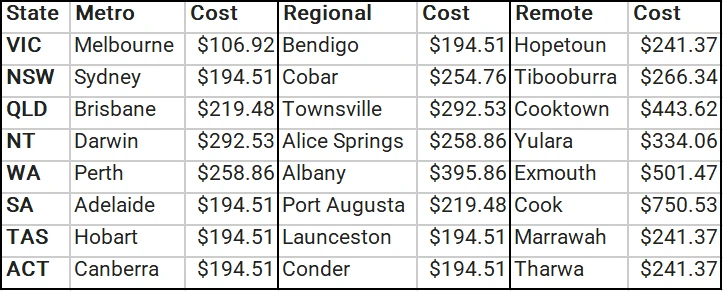
For an oversized freight estimate to your address please contact us through our Contact Us page.
What is a Mechanical Kit?
 The mechanical kit is the foundation of your CNC Machine. A mechanical kit includes all the mechanical components needed to build your CNC Machine; All the screws, nuts, wheels, plates, washers, etc.
A Mechanical Kit is a perfect choice if you plan on bringing your own CNC Controller, Stepper Motors, or Other Electronics.
CNC Add-Ons are required to complete a CNC Machine. These include the Electronic system that will control the machine, Cable Management, and the Spindle or Router that will be mounted to the machine.
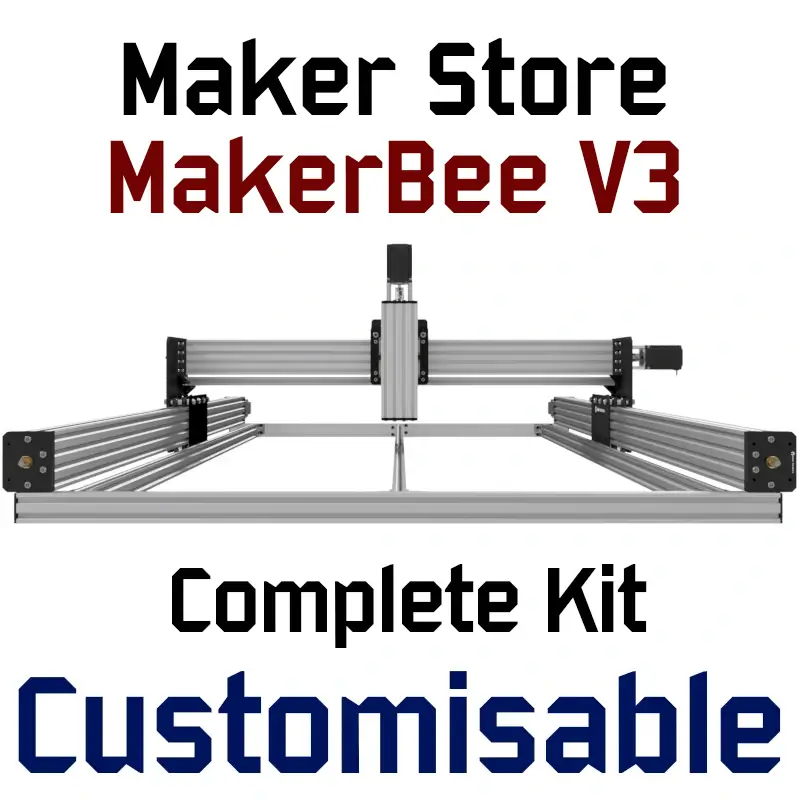
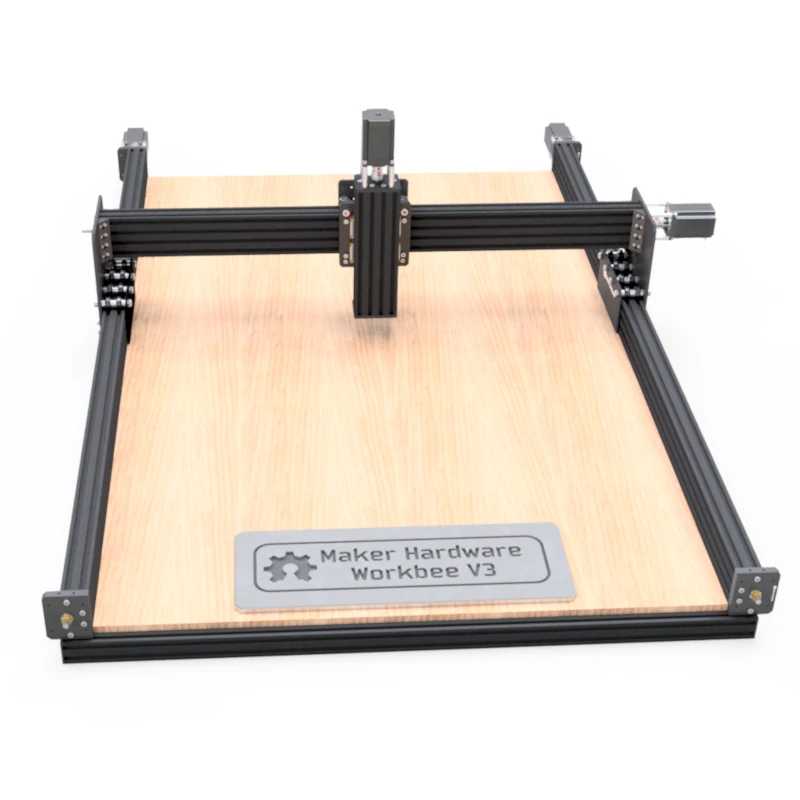
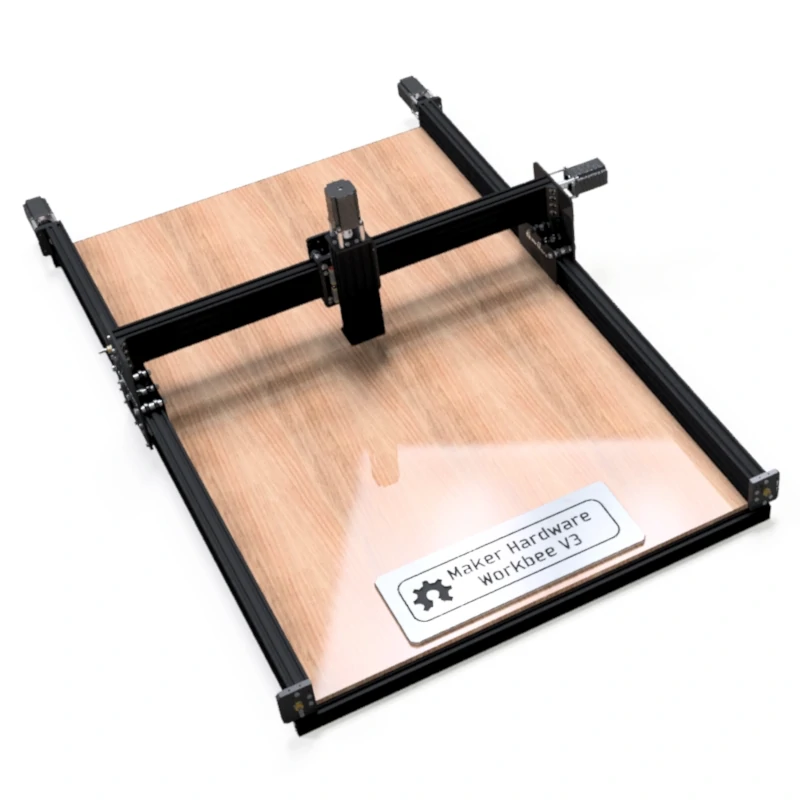
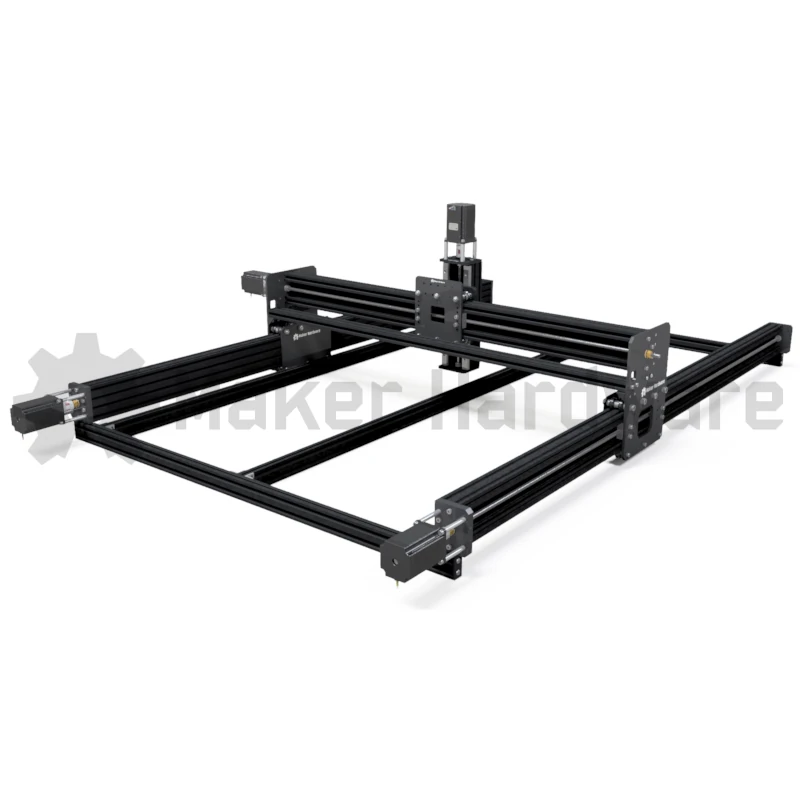
About the Maker Store MakerBee V3

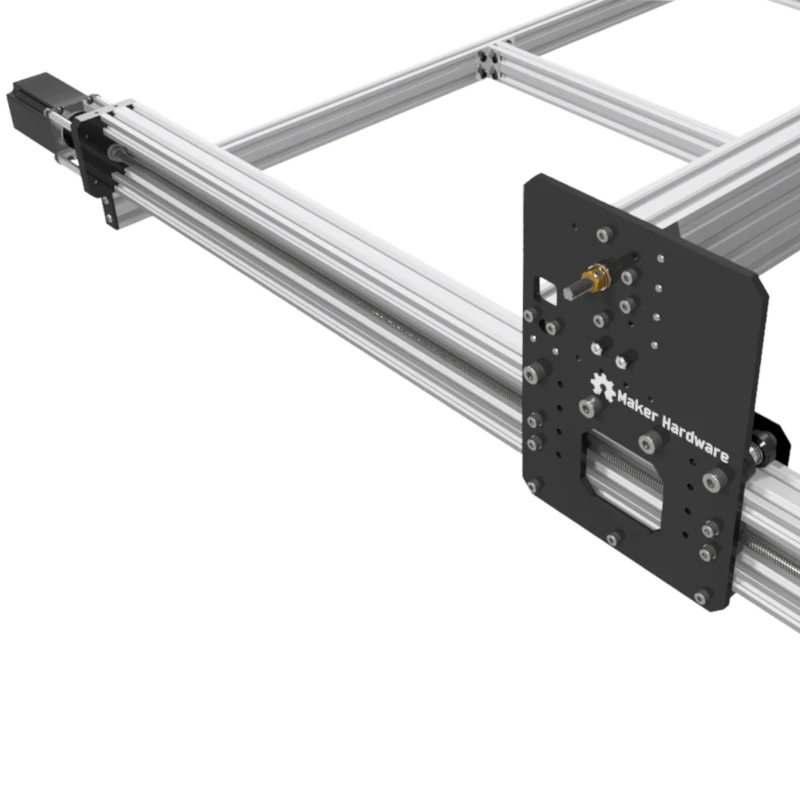
The MakerBee CNC Machine was based on a design by Ryan Lock of Ooznest UK. The original design is a strong, accurate and easy-to-assemble CNC machine. Maker Store’s MakerBee V3 is the Maker Hardware kit based on the popular original design. Maker Store’s MakerBee V3 CNC is an upgrade to our MakerBee V2.2. This new Version 3 model is heavily modified to achieve better results. It is important to note that the new upgrade is VERY different to the Ooznest or any other manufacturer’s models. Maker Store MakerBee V3 has two interchangeable transmission systems allowing for a high level of customisation as well as axis compatible with up to 3m in length, allowing for full timber sheets to be worked on!
The Maker Store MakerBee V3 is incredibly simple to assemble and is suitable for milling wood, foam, plastic, soft metals and more. The Maker Store MakerBee V3 CNC Machine is a 4-axis (3 + 1) machine, which means there are 3 physical axes (X, Y, Z) and a slave axis of Y which is called the A-Axis.
This is a perfect router for the hobby woodworker who wants to get into CNC woodworking. Maker Store’s MakerBee V3 is easily customised and adaptable; all parts of the machine are generic and modular, encouraging additions and alterations after the initial mechanical build. Every MakerBee is packed with off the shelf parts, every part is available individually from Maker Store.
Maker Store MakerBee V3 is our most customisable CNC machine and can be supplied in almost any size imaginable. If the application requires a cutting area larger than 1.5m, the Maker Store MakerBee V3 is our solution.
About the Tool Mounted to the Machine
The Maker Store MakerBee V3 Z-Axis is designed to carry up to 5kg. This is perfectly suited for Lasers, Plasma Torches and most Routers and Trimmers (Makita, Dewalt, Bosch etc..).
As well as the tools mentioned above, the Maker Store MakerBee V3 is designed to mount most of the Spindles we offer;
All 400W Spindles, 800W Spindles and 1.5kW Er11 Air-Cooled Spindles which generally weigh between 1-4kg are perfectly suited on the machine. The 1.5kW Er16 Air Cool Spindle is also suitable however we recommend upgrading the X-Axis Standard C-Beam to C-Beam HEAVY if installing this Spindle.
The 1.5kW Water Cooled Spindle is right on the edge of the limit of the Z-Axis once the Spindle is filled with water/coolant. This Spindle can still be installed on the machine however we STRONGLY recommend upgrading the X-Axis C-Beam to C-Beam HEAVY if doing so.
2.2kW (and above) Spindles are generally not recommended on the Maker Store MakerBee V3.
Approximate Cutting Area (mm)Different types of limit switches and other components may affect the working area |
||||
| Machine Size (mm) | X-Axis | Y-Axis |
Z-Axis (With 12mm Wasteboard) |
Machine Footprint (not including motors) |
| X-Axis: 1000 Y-Axis: 1000 |
800 | 820 | 110 | 1000 x 1000 |
| X-Axis: 1000 Y-Axis: 1500 |
800 | 1320 | 110 | 1000 x 1500 |
| X-Axis: 1500 Y-Axis: 1000 |
1300 | 820 | 110 | 1500 x 1000 |
| X-Axis: 1500 Y-Axis: 1500 |
1300 | 1320 | 110 | 1500 x 1500 |
| X-Axis: 1000 Y-Axis: 3000 |
800 | 2820 | 110 | 1000 x 3000 |
| X-Axis: 1500 Y-Axis: 3000 |
1300 | 2820 | 110 | 1500 x 3000 |
| X-Axis: 3000 Y-Axis: 1000 |
2800 | 820 | 110 | 3000 x 1000 |
| X-Axis: 3000 Y-Axis: 1500 |
2800 | 1320 | 110 | 3000 x 1500 |
Maker Store MakerBee V3 has two different transmission systems available
1: Lead Screw Transmission System
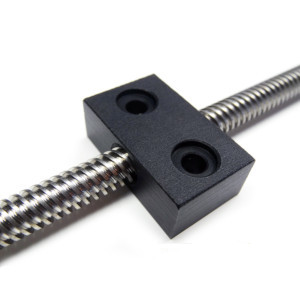
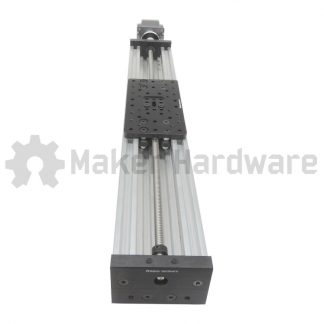
Lead Screw machines are designed to achieve high-resolution levels and great repeatability. It also requires little ongoing maintenance, with nut-blocks often having a functional life of longer than 3 years if the machine is taken care of. Lead Screw transmission combined with a bipolar stepper motor has a resolution of 0.04mm without any microstepping settings. Considering 1/4 set in your microstepping settings, the same Lead Screw can provide 0.01mm resolution.
All of our Lead Screws are specialised ACME thread TR8x8(P2), in basic terms, this means one revolution of the Lead Screw will make nut-block travel four times further than a standard threaded rod which is only a single start. Furthermore, this precision trapezoidal (metric) lead screws pitch and diameter are a perfect combination of high torque and speed.
While you can select whether or not you want Lead Screws on the X and Y-Axis the Maker Store MakerBee V3, the Z-axis is equipped with a Lead Screw Transmission System as the only option for two reasons:
1. Low speed and high resolutions are required for most applications such as Lasers, Plasmas, CNC and 3D printers.
2. The Lead Screw needs tangential force to cause motion and with this characteristic, your spindle will hold in place when the motors aren’t energised.
| Microstepping | Lead Screw Tr8x8(P2) |
| Full | 0.040mm |
| 1/2 | 0.020mm |
| 1/4 | 0.010mm |
| 1/8 | 0.005mm |
| 1/16 | 0.003mm |
| 1/32 | 0.001mm |
2: Rack and Pinion Transmission System
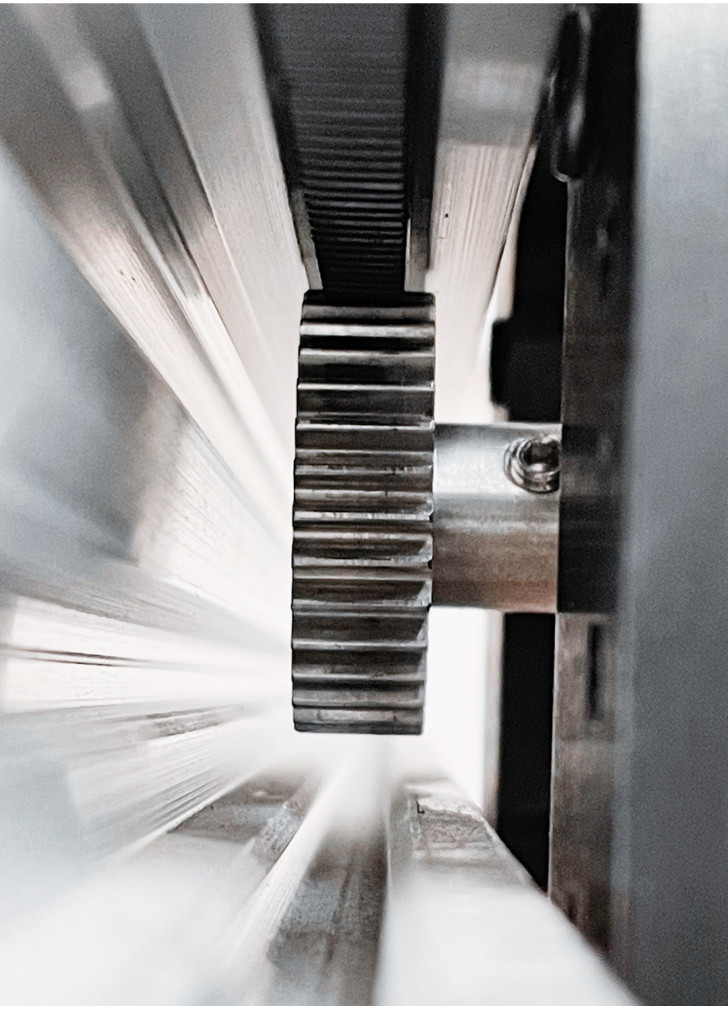
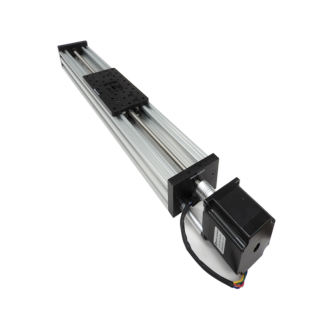
The MOD1.0 Internal Gear Rack was designed right here in house at Maker Store. Our Gear Racks are designed specifically to allow for continuous lengths by butt-joining multiple racks in succession. With this feature, there is almost no limit to how long your axis can be!
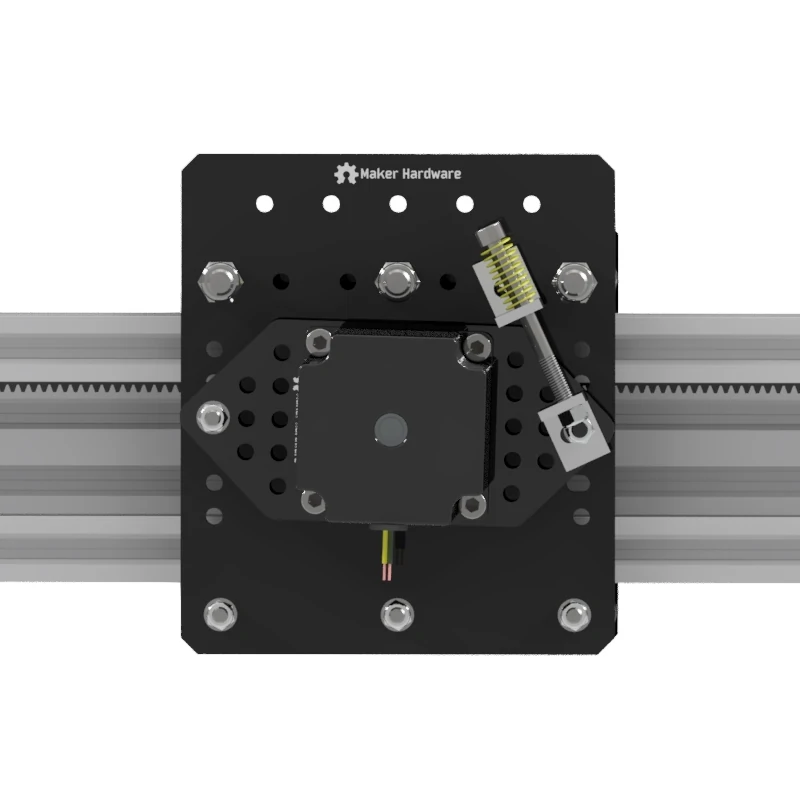
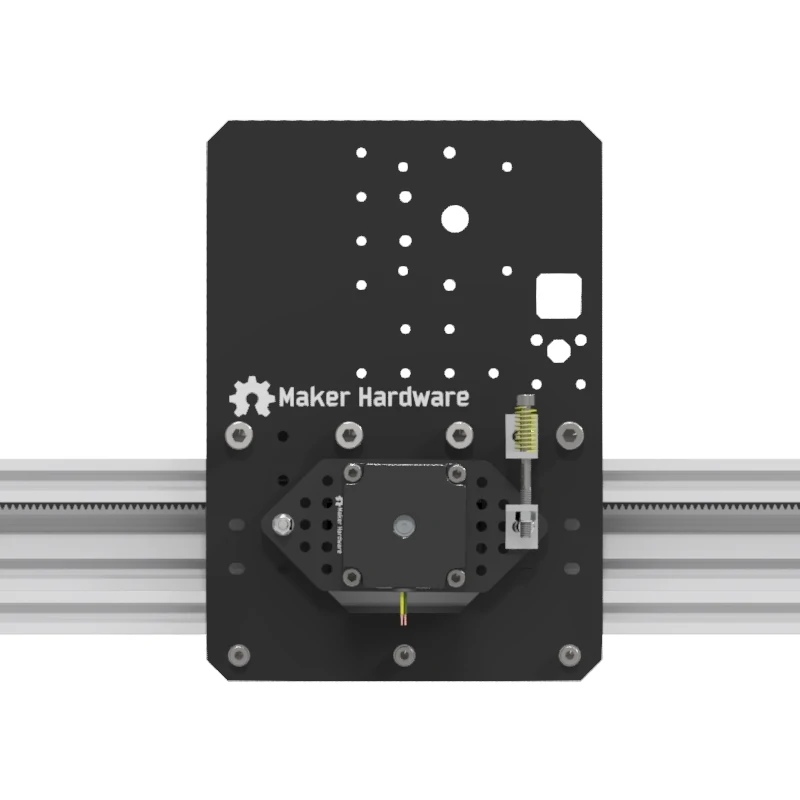
The Internal Gear Rack is designed to slide inside the channel of our V-Slot Linear Rail and works with all our different V-Slot profiles. Along the X and Y-Axis, the MakerBee can benefit from the stronger C-Beam Extrusion, which also helps to keep the gear hidden away from dust. The Stepper Motor is attached to a specially designed plate that is installed spring-loaded and mounted to keep the right amount of tension between the Gear and the Rack.
Module 1.0 Gear Resolution table:
| Microstepping Note: We generally recommend 1/8 |
Gear Size | |||
| 16T (Used in the Maker Store MakerBee) | 20T | 32T | 40T | |
| FULL | 0.25mm | 0.31mm | 0.50mm | 0.63mm |
| 1/2 | 0.13mm | 0.16mm | 0.25mm | 0.31mm |
| 1/4 | 0.06mm | 0.08mm | 0.13mm | 0.16mm |
| 1/8 | 0.03mm | 0.04mm | 0.06mm | 0.08mm |
| 1/16 | 0.02mm | 0.02mm | 0.03mm | 0.04mm |
| 1/32 | 0.01mm | 0.01mm | 0.02mm | 0.02mm |
Note: The 1.0 Gear Resolution Table is based on a bipolar Stepper motor (200 steps/rev).
Expanding The Working Area To Do Full Sheets
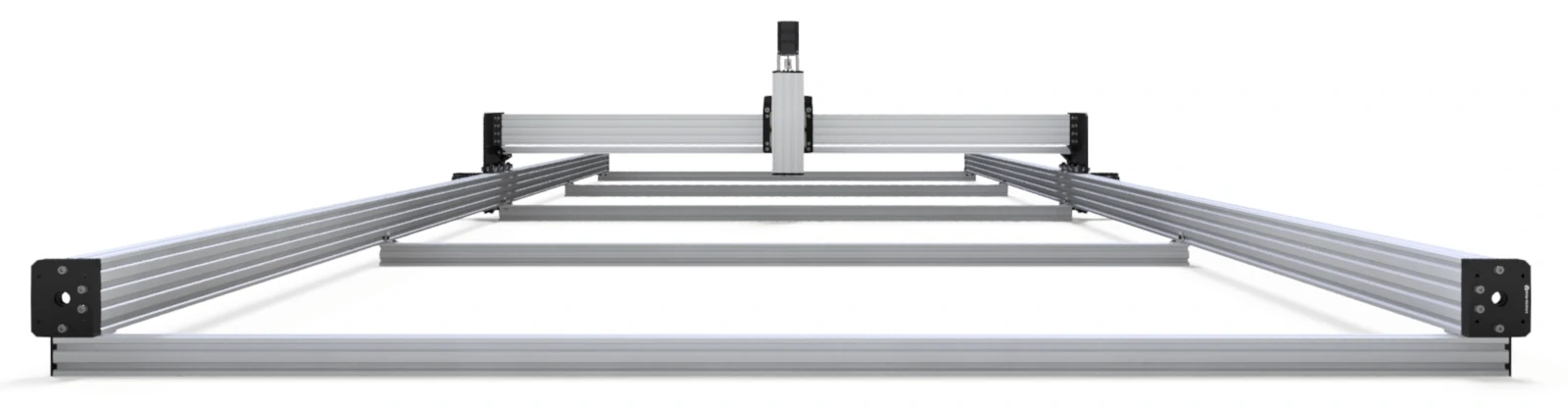
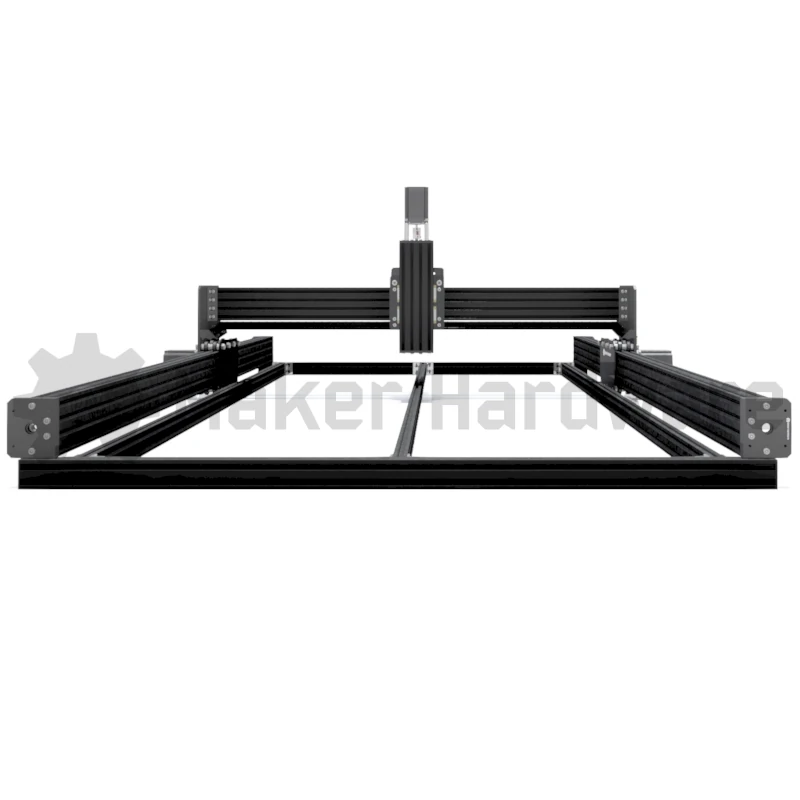
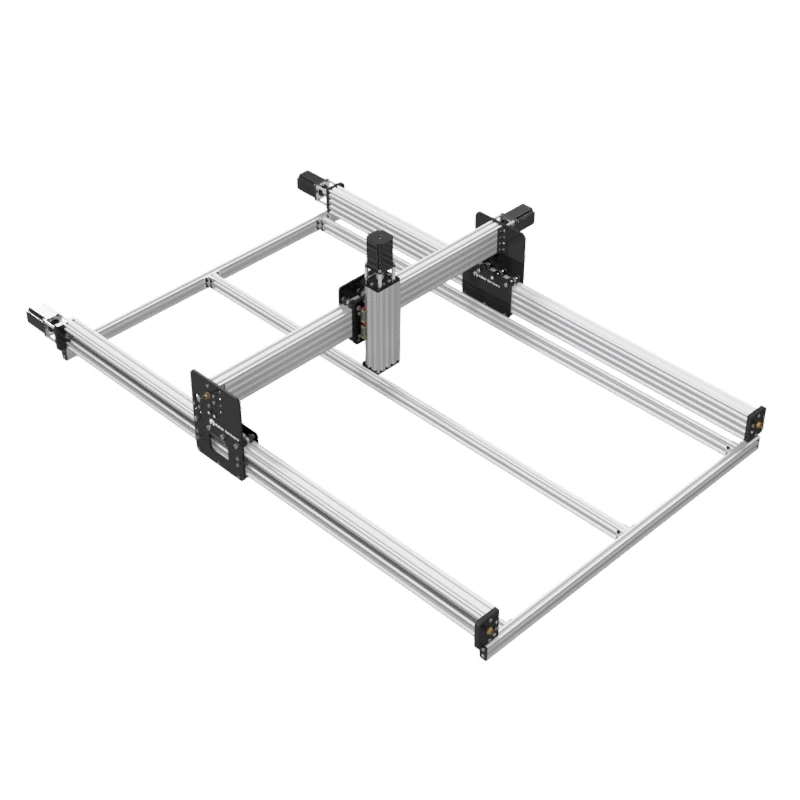
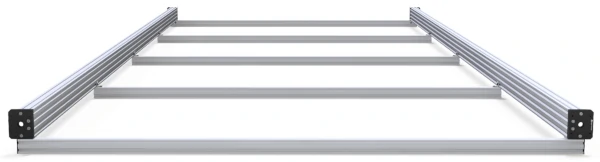
| A key feature of our new Maker Store MakerBee V3 is the newly designed system which allows the machine to be built large enough to work on full sheets of timber. Both the Y-Axis and the X-Axis can be installed up to 3000mm in length. We generally recommend installing the 3000mm axis on your Y-Axis and installing your X-Axis as 1500mm which will allow you to work on full sheets. The reason for this is the Y-Axis spoilerboard supports change for a machine larger than 1500mm. For a 3000mm Y-Axis, the spoilerboard supports are transversal meaning they are secured to each Y-Axis C-Beam along the length of the Y-Axis which makes for a very strong and secure Y-Axis while also making several supporting beams for the workpiece to be placed on.
If installing a 3000mm X-Axis we highly recommend upgrading the X-Axis C-Beam extrusion to our C-Beam HEAVY extrusion. |
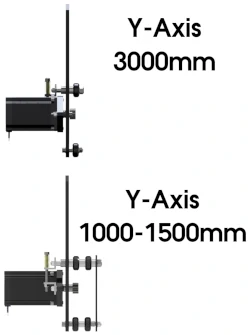
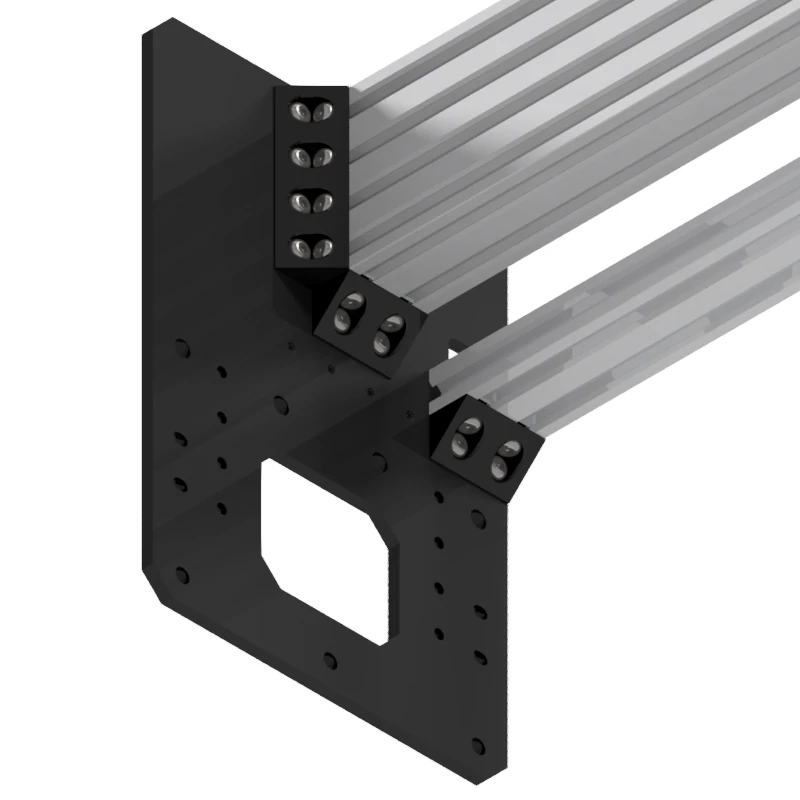
On a larger Y-Axis, the Internal Gantry Plate and the second row of wheels are removed to allow spoilerboard supports to be secured between each Y-Axis C-Beam so that the axis is supported along its entire length rather than suspended from each side as in the smaller machine design. |
| Our 3000mm axis was first implemented in our Ox-GEAR CNC Router Machine over a year ago with great success. The Maker Store MakerBee V3 has built on this tried-and-tested reliable design while also strengthening the X and Z-Axis so that Spindles can be mounted to the machine in place of standard routers as in our Ox-GEAR. The new Maker Store MakerBee V3 has become our recommended “Full Sheet Working” machine while staying a fraction of the cost of other machines on the market that can achieve full sheet working areas. |
Key New FeaturesWhile there are so many different features, below are some of the Key Features that are new on the Maker Store MakerBee V3. |
|||||||||
Y-Axis Plates for Interchangeable Transmission System |
|||||||||
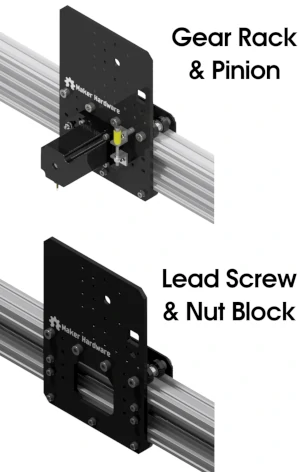 |
The new Maker Store MakerBee V3 Y-Axis Plate design allows interchangeability between two distinct transmission systems. You can easily build your machine to be Rack & Pinion or Lead Screw & Nut Block Transmission System.
The Lead Screw & Nut Block transmission is compatible with the Y-Axis length of 1000mm and 1500mm. Lead Screws are best used on a 1000mm Axis. A Lead Screw & Nut Block transmission offers a strong and accurate transmission while having very little ongoing maintenance required. The Gear Rack and Pinion transmission is compatible with any Y-Axis length, it can even be installed on a 3-meter Y-Axis! We generally recommend Gear Rack and Pinion transmission for 1500mm and 3000mm Y-Axis. Gear Rack and Pinion transmission allows for higher speeds to be achieved with no loss inaccuracy. With both systems being able to be installed onto the Y-Axis Plates, upgrading the length and transmission of your Y-Axis, later on, is very easily achieved due to the modular nature of our hardware. |
||||||||
X-Axis Plates for Interchangeable Transmission System |
|||||||||
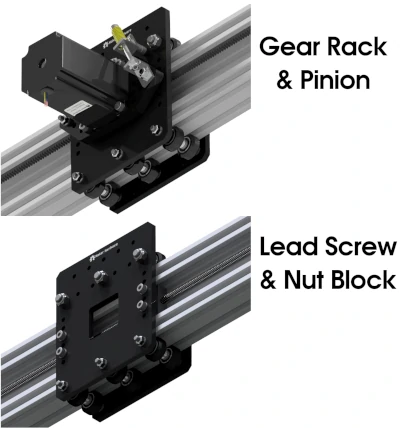
| Similar to the Y-Axis Plates, the new Maker Store MakerBee V3 X-Axis Plate design allows interchangeability between two distinct transmission systems. You can easily build your machine to be Rack & Pinion or Lead Screw & Nut Block Transmission System.
Lead Screw & Nut Block are best used on a 1000mm Axis. A Lead Screw & Nut Block transmission offers a strong and accurate transmission while having very little ongoing maintenance required. Gear Rack and Pinion transmission is generally recommended for 1500mm Axis. If installing a 3-meter X-Axis it is best to pair the Gear Rack system with our C-Beam HEAVY over such a long suspended length. |
 |
||||||||
X-Axis and Y-Axis Length Up To 3 Meters |
|||||||||
|
|
Both the Y-Axis and the X-Axis can be installed up to 3000mm in length. This is such a huge leap forward in this class of CNC Routers as it now allows full timber sheets to be worked on with no more tiling!
The best “Full Sheet” machine configuration in our opinion is a 3000mm Y-Axis with Standard C-Beam and a 1500mm X-Axis with C-Beam HEAVY. We recommend choosing the Y-Axis to be the 3000mm axis because the spoiler board extrusions are installed in a transversal manner so that they secure the Y-Axis along the length which makes for a very strong and secure Y-Axis. With this design standard C-Beam is perfect for the application, C-Beam HEAVY is not necessarily required on the 3000mm Y-Axis (but it sure is tough when installed!) When installing a 3000mm X-Axis we strongly recommend upgrading the X-Axis C-Beam to C-Beam HEAVY. The reason for this is the X-Axis sits suspended from each end between each Y-Gantry Plate where it is secured. Over a 3000mm length the standard C-Beam may ‘flex’ or ‘twist’ if a heavier tool such as a 1.5kW Er16 Air Cooled Spindle or a Water Cooled Spindle is mounted. If installing a 3000mm X-Axis we recommend a smaller tool such as a Laser, Plasma Torch, Router/Trimmer or Light Spindle (such as the 400W, 800W or 1.5kW ER11 Air Cooled) is installed. |
||||||||
C-Beam End Plates |
|||||||||
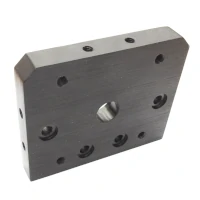
| The End Plates that are mounted to the ends of the C-Beam Extrusion on the Y-Axis has been changed from unique original Plates to our new Standardised C-Beam End Mount Plates designed to mount to C-Beam and C-Beam HEAVY profiles.
This small but simple change makes the original MakerBee more modular in design by using more off-the-shelf parts in lieu of unique parts. This helps keep the Maker Store MakerBee V3 End Plates in line with other C-Beam based CNC Machines such as the Lead CNC, C-Beam Machine, C-Beam XL and MiniMill. |
 |
||||||||
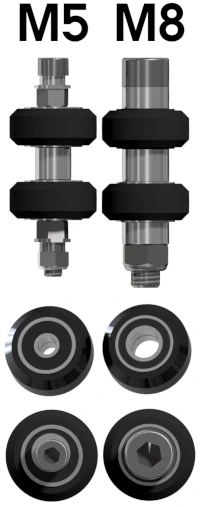
Strong M8 Hardware On Weight Bearing Wheels |
|||||||||
|
|
The top rows of wheels on both the Y-Axis and the X-Axis have been upgraded to use M8 Screws and larger bearings inside the wheels.
The weight load and downward forces of the machine are placed on the top rows of wheels, with the bottom rows of wheels in place to adjust tension. For this reason, the top rows of wheels have been upgraded to a larger stronger screw series. By upgrading the top rows of wheels from M5 hardware to M8 hardware a stronger axle is created. This is a great and effective improvement to increase the rigidity of the assembly while also reducing ‘flex’ in the assembly. |
||||||||
Z-Axis with MGN 15 Rails and Bearings |
|||||||||
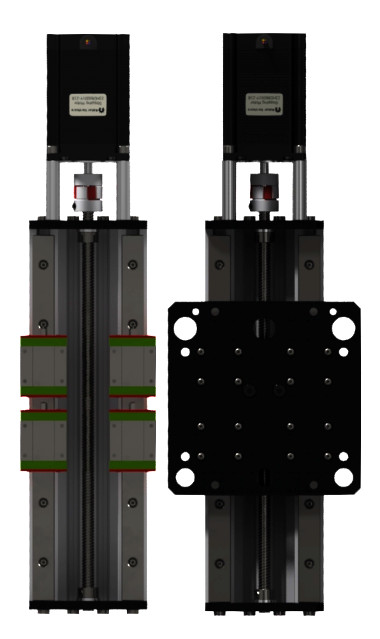 |
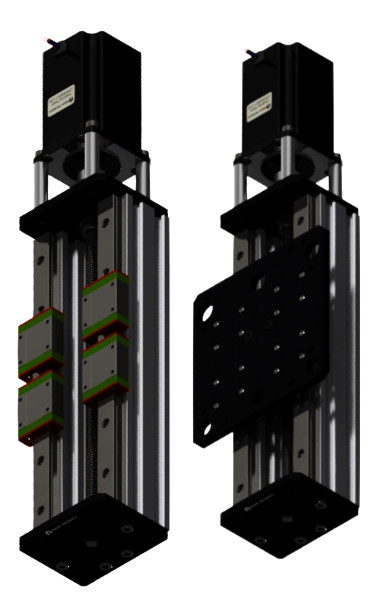
MGN Rails are a low profile version of the well known HGR rails. The New Z-Axis uses High-Quality MGN Series Linear Rails and MGN15C Bearings. This combination of rail and bearings offers high rigidity and precision accuracy in linear motion. Used in 3d Printing, CNC Machining, Robotics, Measuring Equipment and linear motion actuators.
The Maker Store MakerBee V3 takes advantage of the low profile MGN rails that are responsible for keeping the centre of gravity as close as possible to the X-Axis gantry. This simple “trick” mitigates the X-Axis from twisting and causes less stress on the Y-Axis wheels. |
 |
|||||||
Cap Head Screws – Also known as Socket Head Screws |
|||||||||
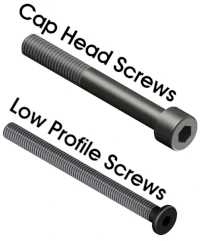
| The Maker Store MakerBee V3 has upgraded any screw that does not need to have the Low Profile Head to the Stronger Cap Head Screw.
This simple upgrade makes the assembly of the machine much easier as it minimises the risk of stripping the head of the screw. |
 |
||||||||
Jaw Couplings |
|||||||||
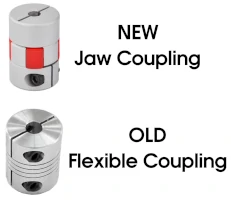 |
Jaw Couplings have been used to connect all Stepper Motors to Lead Screws.
Jaw Couplings are stronger and longer-lasting by design when compared to their Flexible Coupling cousins. Jaw Couplings are more precise in acceleration and deceleration. Jaw Couplings have less backlash than Flexible Couplings. |
||||||||
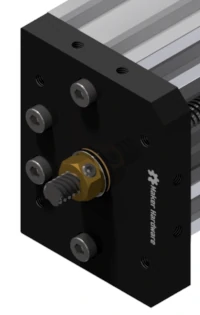
Lead Screw Tensioning Nut |
|||||||||
| Maker Store MakerBee V3 has upgraded the outer locking collars that hold tension on the lead screw to the new Lead Screw Tensioning Nuts.
This specially designed nut when installing a Lead Screw in tension helps reduce Lead Screw ‘whip’ which occurs in Lead Screws with lengths greater than 1000mm. By installing the nut onto a Lead Screw it helps ensure your machine runs smoothly at higher feed rates. |
 |
||||||||
Cable Management System
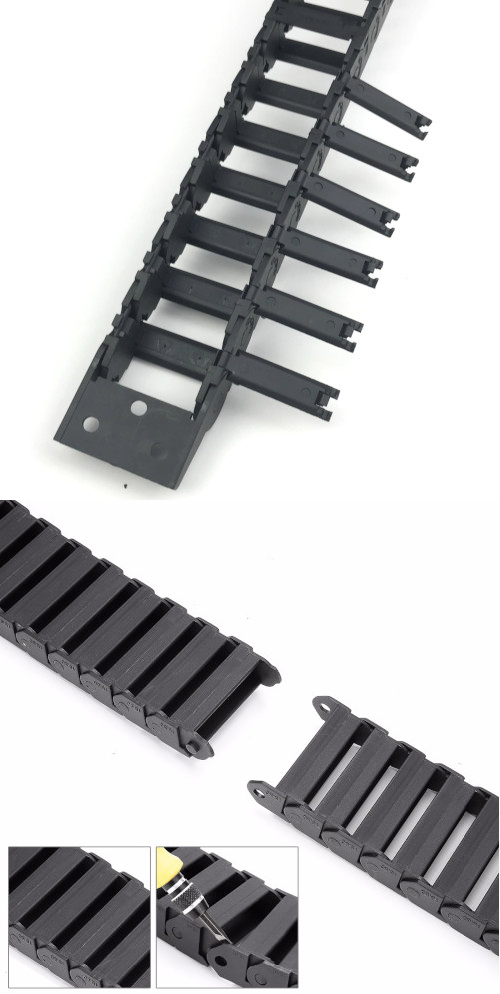
When wiring up a CNC Machine, even a simple CNC machine, there will be a lot of cable runs that are needed for all the components of the electronic system. These cables will quickly start getting in the way of moving parts and if there is no cable management there is a serious risk of damaging cables which can be extremely unsafe when the CNC machine is operating.
Simply cable tying the cables to your frame will not work because the CNC machine axis are constantly moving, so the cables too must move with the axis.
Cable Drag Chains are a solution to cable management. When it comes to cable drag chains, if you have the space for them, the larger the better. It is easier to feed a new cable through a larger drag chain than it is trying to force a cable through an already full smaller drag chain. Cable Drag Chains very quickly fill up with the numerous cables that are running around the CNC Machine.
Our 15x30mm Cable Drag Chains have each individual link able to be opened up, this is an incredibly useful feature the the smaller drag chains do not have. Drag chains can be shortened or lengthened by simply removing or joining links of the chain.
Electronic System
When it comes to deciding on an electronic system to control your CNC machine there are many opinions on the options to choose from and researching these can lead you down a rabbit hole. However, a great place to start is with the software. The choice of software to control your machine will dictate the options available for electronic hardware. To read more about Electronic Systems please read here
Our Recommended:
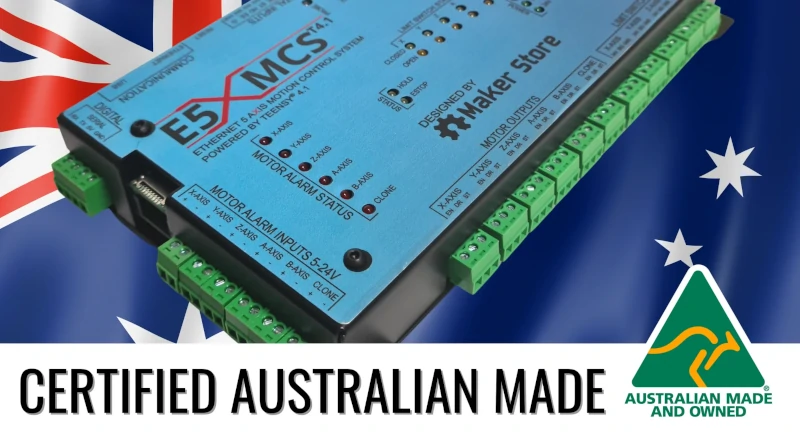
The E5X MCS T4.1 is Maker Store’s most recommended CNC Controller for all CNC enthusiasts. Whether you are a professional or a hobbyist, E5X MCS is the right choice for your application.
The E5X MCS T4.1 is an Ethernet-controlled 5-axis Motion Control System based on Teensy 4.1 that has been designed and is certified Australian made.
It is an easy-to-use and powerful CNC motion control system capable of controlling 5-axis CNC machines. As CNC machines evolve, there is a great demand for high-performance CNC controllers such as the E5X MCS.
The E5X is a powerful 32-bit CNC controller, running on grblHAL firmware which is fast becoming the firmware of choice for CNC control due to increased functionality and added features, far superseding the current 8-bit CNC controllers running on the standard grbl or grbl esp32. Depending on the user’s requirements, E5X MCS can be connected via a USB or ethernet interface.
The layout of E5X MCS has been designed with ease of use and practicality in mind with inputs and outputs easily accessible via secure and pluggable connectors. The E5X MCS is pre-configured and is ready to use right out of the box.
Other Options:
|
This electronics bundle contains all the required electronics to operate the CNC machine. The only part you need to bring is the computer. The xPRO V5 Motion Control System is our easiest to set up and learn, and most user friendly electronic control system. |
High Torque GRBL System
This electronics bundle is the most flexible and adaptable CNC control system we offer. This system does take a bit more to set up, but can be adapted and changed to suit a vast range of different applications. |
| CNC Cable Pack
This cable pack contains all the necessary cables for controlling 4 Stepper Motors and 3 Limit Switches. We use these in our Cable Bundles and Electronics Bundles. This is the perfect choice if you are using your own Electronics. |
The Maker Shield is an all in one GRB1.1 solution for CNC control designed for use with the Arduino® Uno and Uno compatible controller boards. This shield features 4 embedded DRV8825 stepper motor drivers making configuring and setting up your system an easy plug and play exercise. This option is best suited to standard Nema23 Motors. |
Spindle / Router Mount
A Spindle/Router Mounting Bracket is the best choice if you are using a standard Makita/Dewalt/Bosch router. Check the diameter of your router before choosing the size.
The 400W Air Cooled Spindle is a DC motor similar to a router. This spindles is relatively safe to use and runs on 48VDC. If a fault condition ever occurs no serious harm will come to the user. Small spindles such as this can perform the same cuts and run times as a standard router. The run out for the 400W Spindle is generally more accurate that a router.
The 1.5kW Air Cooled Spindle is a 3 phase motor that uses 220VAC+ per phase through electrical windings at high frequency to rotate a shaft. Generally spindles require the user to terminate the wires to each phase in a connector. Terminating wires can be quite difficult to an individual who does not have the experience or skills in delicate soldering. Care must be taken when terminating a spindle connector to ensure there is no short circuit between phases or earth. Spindles have a conductive metallic housing which is incredibly dangerous if exposed to voltage above 50VAC. The 1.5kW Air Cooled Spindle will run significantly quieter than routers. The run out is also considerably low and becoming ‘bogged’ or stuck while moving through materials during a cut is incredibly difficult and almost non-existent. The powerful 3 phase spindles are designed to run non-stop for hours at a time.
Touch Probe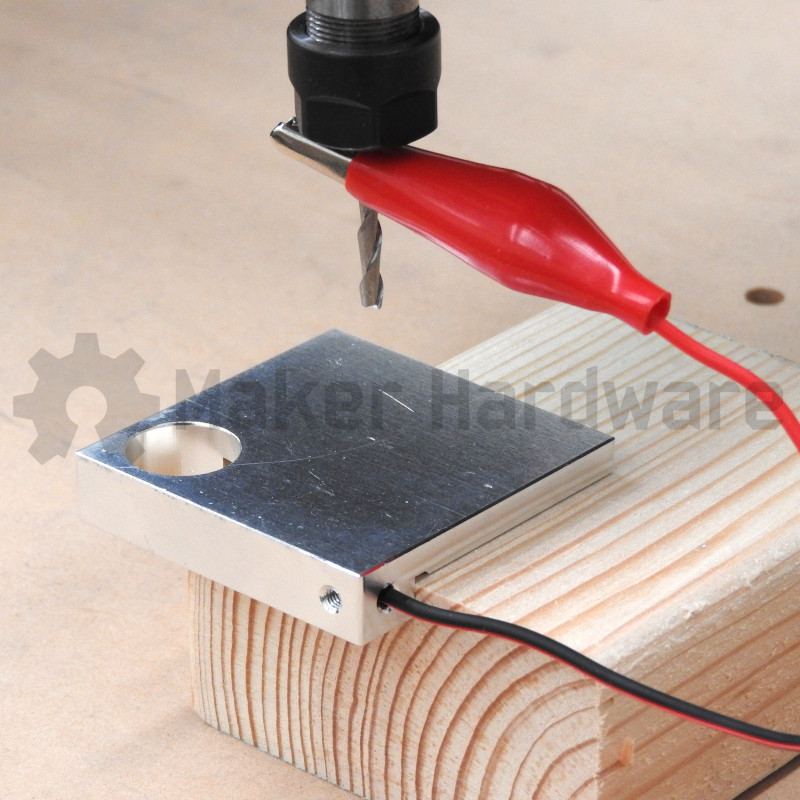
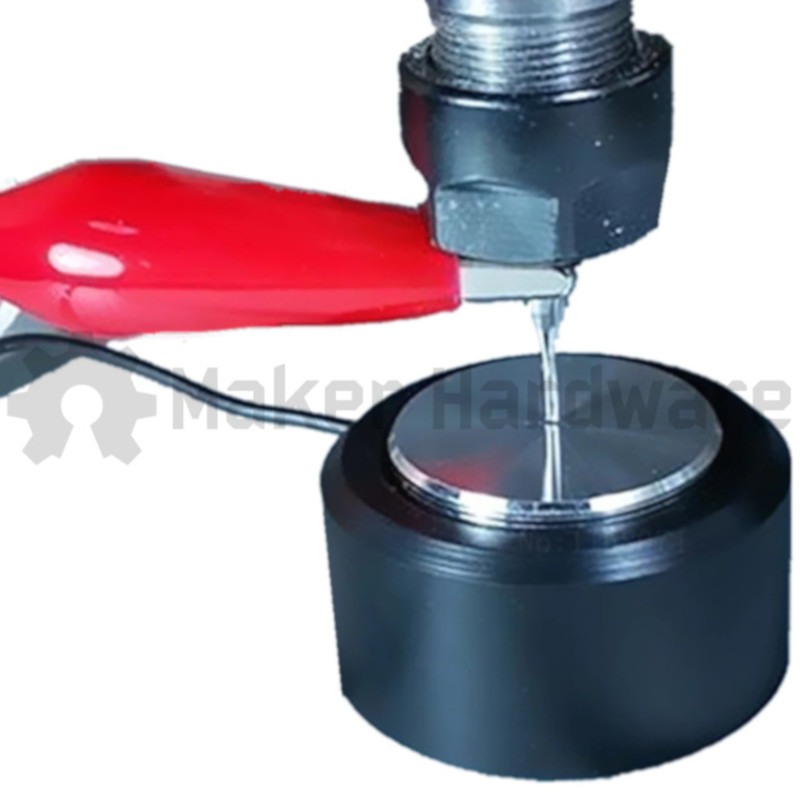
There are two options when selecting a Touch Probe.
One is a simple touch probe used for correctly offsetting the Z Height from the work piece prior to beginning a job. The other option is a XYZ Touch Probe that is used to accurately set the 0, 0, 0 coordinate of the work piece prior to beginning a job.
CREDITS:
The New Maker Store MakerBee V3 is substantially different to all other MakerBee models as well as the predecessors before it. The machine was inspired by the Lead CNC, the Ox-GEAR, and the earlier MakerBee models. Without these previous machines that came before Maker Store MakerBee V3, the machine would not be possible.
- The Maker Store MakerBeeV3 Plates were designed by Maker Store Australia. This design allowed for a gear rack and pinion transmission system on the X-Axis and Y-Axis.
- The Internal MOD 1.0 Gear Rack was designed by Maker Store Australia
- Ox-GEAR CNC and Ox V4 CNC was designed by Maker Store Australia
- C-Beam HEAVY was designed by Maker Store Australia
- Ox V1 (belt) was designed by OpenBuilds USA
- C-Beam was designed by OpenBuilds USA
License:
The MakerBee CNC Machine was based on a design by Ryan Lock of Ooznest UK. The Maker Store Work bee V3 is heavily customised and upgraded from the original design by Ryan Lock from Ooznest. Maker Store’s MakerBee V3 is different from all other companies’ similar variants and modifications.
Original design by Ooznest / Ryan Lock is licensed under CC BY-SA 3.0