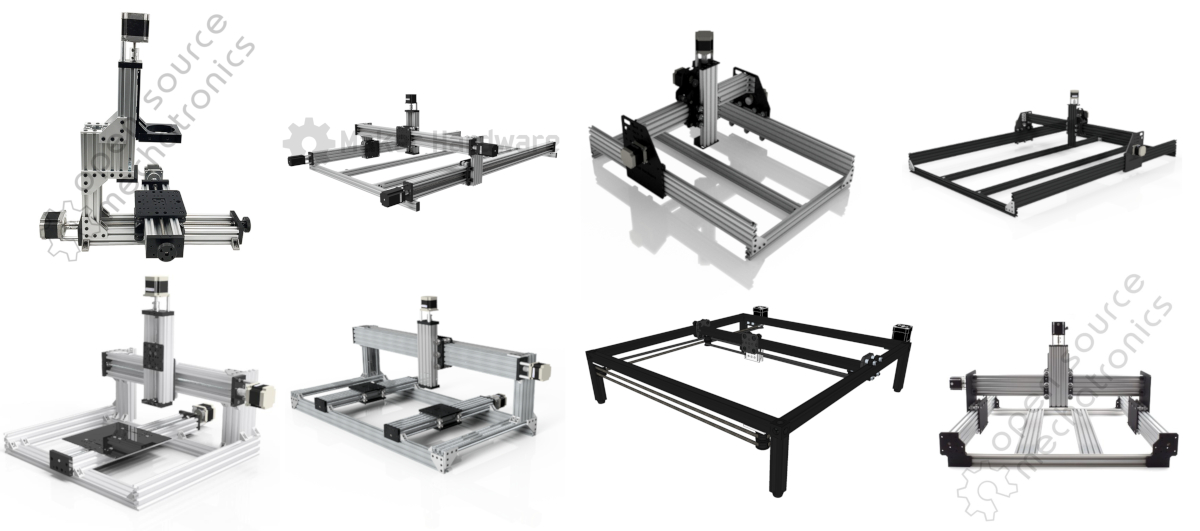
A CNC Router or CNC Milling machine is a great addition to any workshop. Whether in a home workshop for hobby use, or a business workshop for commercial use, Maker Store offers a CNC machine for every application. Deciding what components are needed to achieve your ‘first cut’ can be difficult and with the large number of choices available on the market it can be quite daunting selecting the options for your build.
This guide is designed to assist in deciding on the different options when buying your next CNC Machine.
If you have any questions along the way please do not hesitate to contact us on one of the following:During Business Hours: Anytime: |
A complete CNC Machine requires 4 components:
Click on the option below to jump to that topic.
1. Mechanical Kit
All Kits available here at Maker Store are mechanical kits, these mechanical kits are the foundation of your CNC Machine. The mechanical kits include all the mechanical components needed to build your CNC Machine; All the screws, nuts, wheels, plates, washers etc.
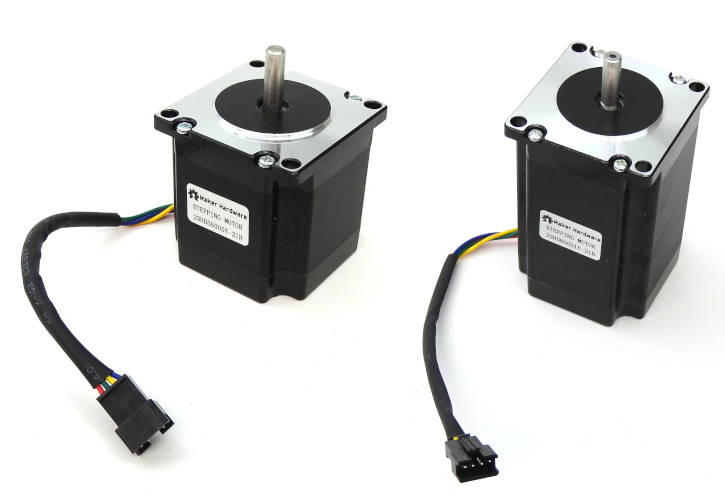
Some of our mechanical kits give you different options for stepper motors. Options being no motors (if you intend to use your own), standard Nema 23 Stepper Motors, or High Torque Nema 23 Stepper Motors. We always recommend using our stepper motors because our machines are designed to work with our motors, if you bring your own stepper motors you may need to source different fixing hardware and in some cases may need to alter the plates to mount your motors to the machine.
Mechanical kits are broken up into three main categories (or type of drive/transmission):
- Leadscrew Transmission,
- Belt and Pulley Transmission,
- Gear Rack and Pinion Transmission.
When discussing the accuracy of different transmission systems information is based on 1/4 micro-step and the below table.
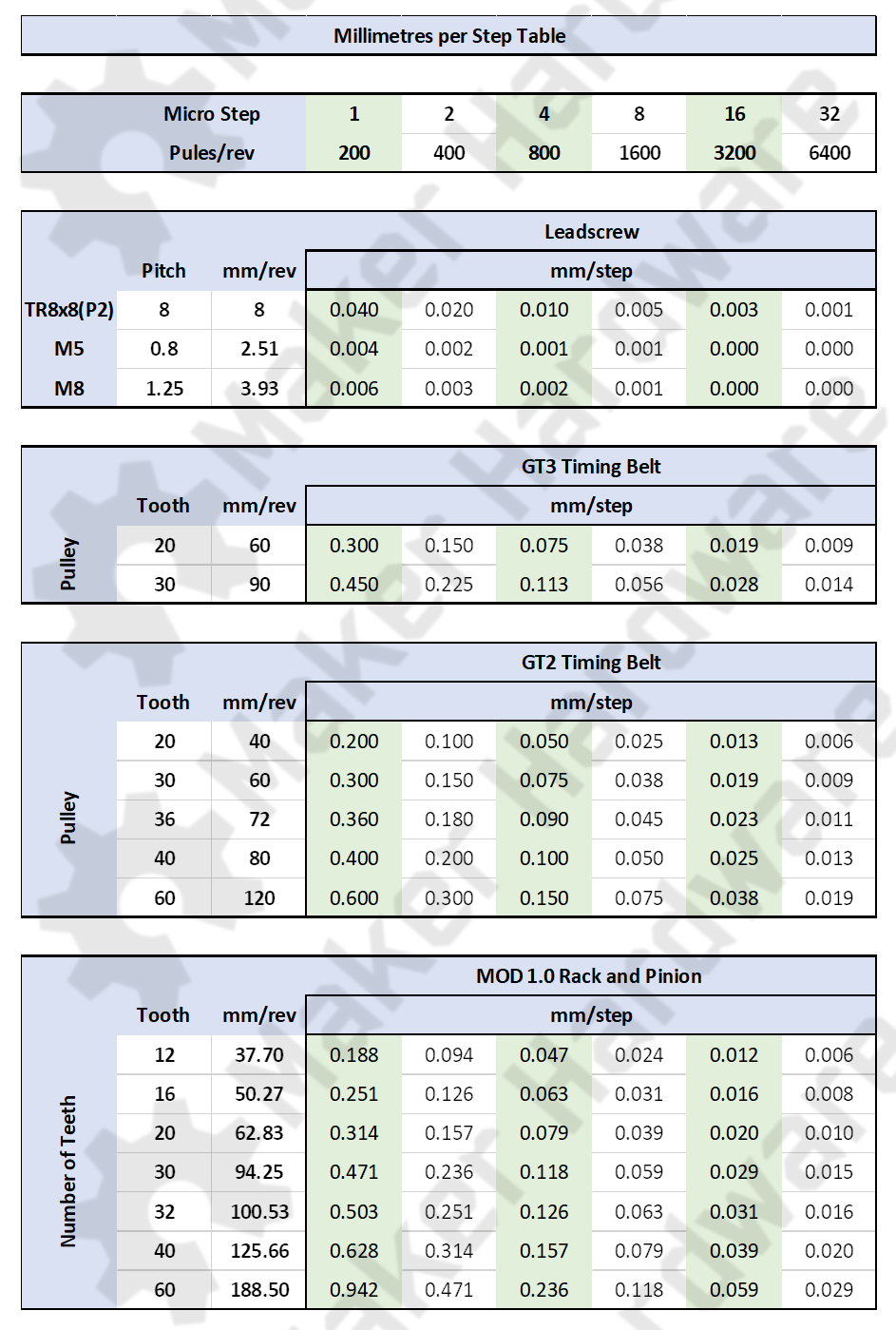
Click image to enlarge
Leadscrew CNC Machines
Leadscrew transmission has an accuracy of 0.05-0.10mm or better. Leadscrew machines are designed to be accurate, strong and reliable. Leadscrew transmission requires little ongoing maintenance, with nut-blocks often having a functional life of longer than 3 years if the machine is taken care of.
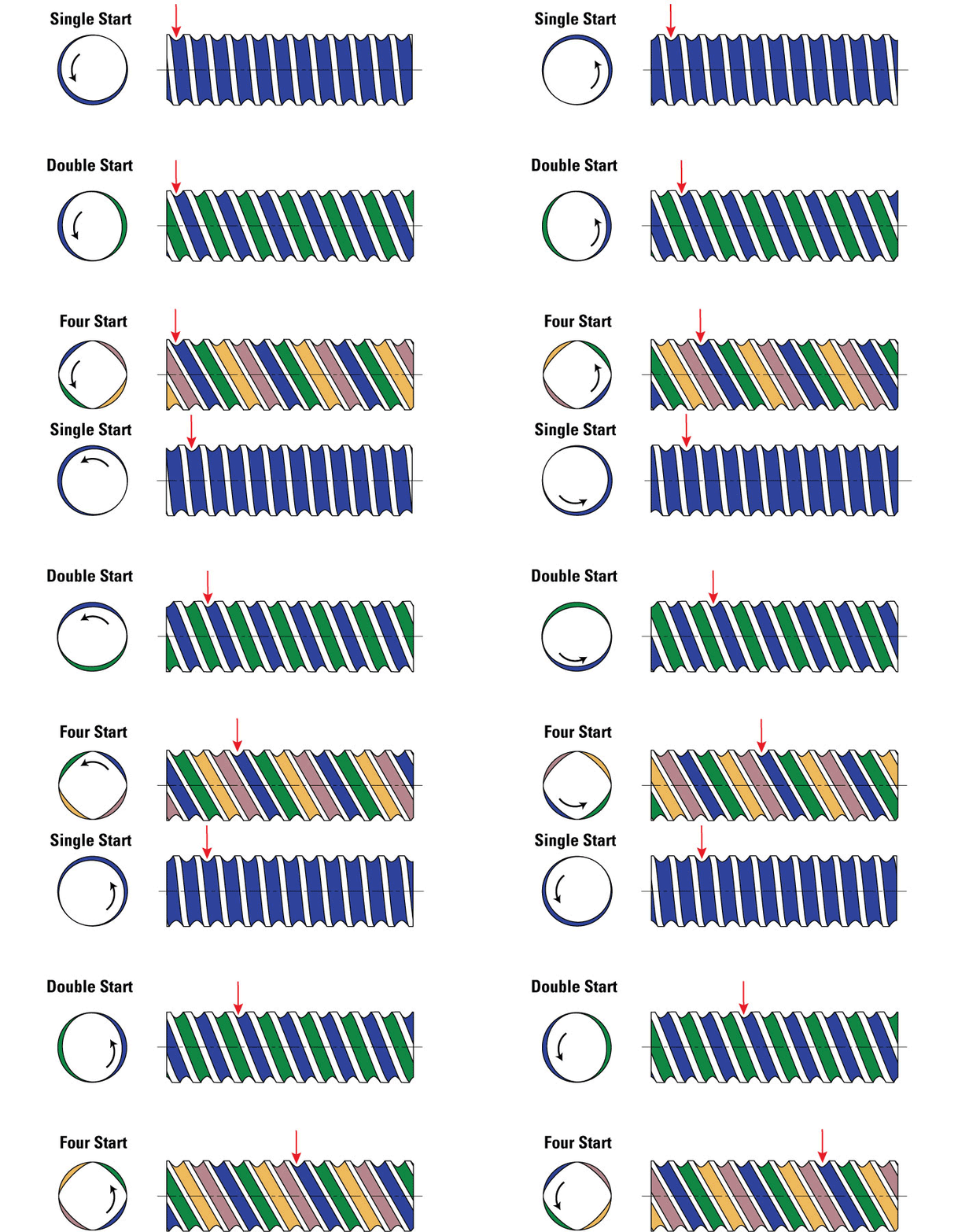
All of our Leadscrews are specialised ACME thread TR8x8(P2), in basic terms this means one revolution of the leadscrew will make a nut-block travel four times further than a standard threaded rod which is only single start.
Our Leadscrew CNC Machines come in different models each with it’s own applications, pros and cons.
| PRO TIP: Trapezoidal threads are defined as follows by ISO standards: – Tr8x8 where Tr designates a trapezoidal thread, 8 is the nominal diameter in millimeters, and 8 is the pitch in millimeters. When there is no suffix it is a single start thread. If there is a suffix then the value after the multiplication sign is the lead and the value in the parentheses is the pitch. For example: – Tr8x8(P2) would denoted 4 starts (as the lead divided by the pitch is 4), 8mm diameter, 8mm lead and 2mm pitch. Modified from: https://en.wikipedia.org/wiki/Trapezoidal_thread_forms |
MakerBee CNC Machine
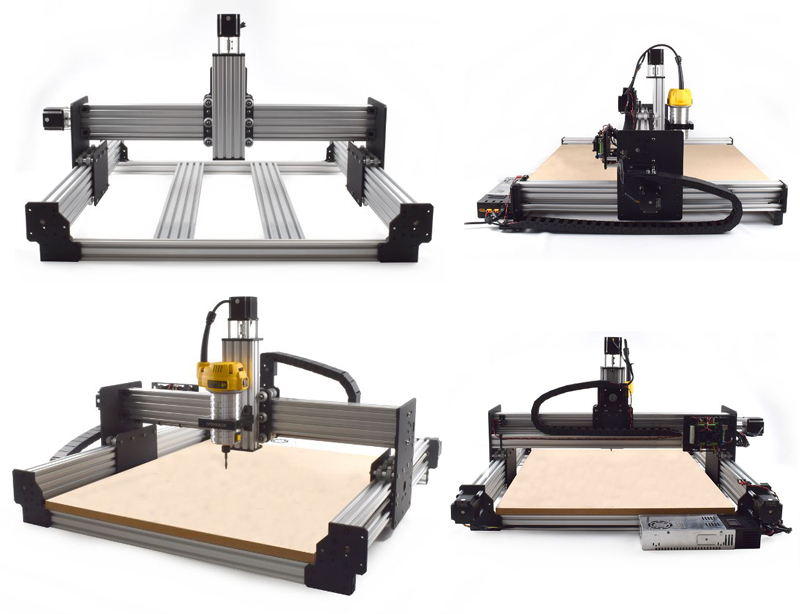 The MakerBee CNC Machine, originally designed by Ryan of Ooznest UK who based the machine off the Ox CNC Machine, is one of the most popular DIY CNC Machines worldwide. Significant social media presence has played a huge role in the success of this CNC machine.
The MakerBee CNC Machines are designed to be strong and simple to assemble CNC Machines suitable for milling wood, foam, plastic, soft metals and more. The simplicity in design makes the MakerBee CNC Machine a great machine for someone who is new to CNC Machining. There are many forums, groups and online communities that are based entirely around the MakerBee CNC Machine, finding information on this machine is very easy.
The MakerBee CNC Machine is a 4 axis (3 + 1) machine, this means there are 3 physical axis (X,Y,Z) and a slave axis of Y which is called the A Axis. The MakerBee CNC Machine uses specific lengths of Extrusions and Leadscrews. This means that to get replacement V-Slot or Leadscrews can be difficult and often purchasing a standard length and cutting it down is required. The MakerBee also uses specific plates, the unique plate set makes customising your MakerBee difficult.
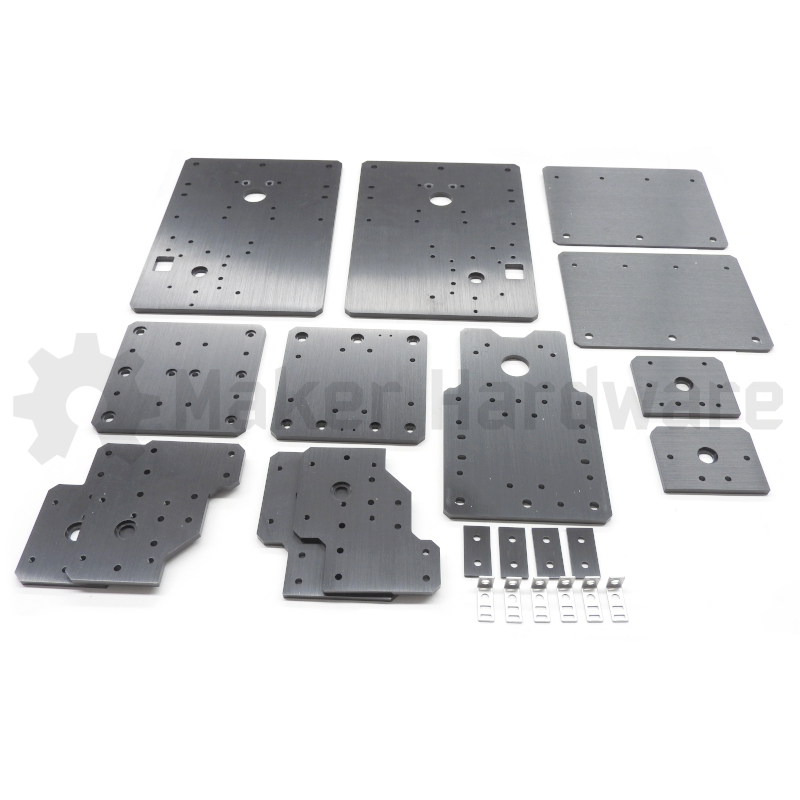
The unique plate set and uncommon lengths of extrusions and leadscrews is a significant limitation on the MakerBee CNC if the end user wishes to customise or modify the machine after the initial build.
The MakerBee CNC Machine comes in many sizes from 500x750mm up to 1500x1500mm. All kits come with options for the stepper motors being no motors, standard stepper motors or high torque stepper motors. Standard stepper motors will be suitable for all machine sizes, however we recommend upgrading to high torque stepper motors for machines 1000x1000mm or larger, or if your intended cuts will be 3+ hours per cut.
Lead CNC Machine
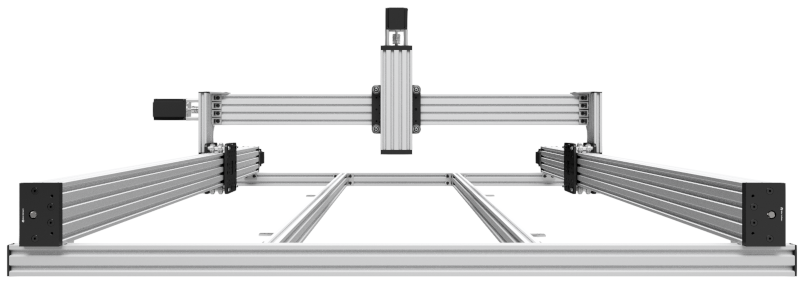
The Lead CNC Machine was originally designed by Mark Carew and the design is licensed under CC – Attribution – CC BY. It is a super strong, accurate and easy to assemble CNC machine. The Maker Store Lead CNC is an offspring of the original design, with some changes made to increase rigidity and functionality while also using more off-the-shelf parts which encourages modifications and customising after the initial mechanical build.
The Lead CNC Machine is a 4 axis (3 + 1) machine, this means there are 3 physical axis (X,Y,Z) and a slave axis of Y which is called the A Axis. The Lead CNC Machine uses C-Beam Actuators for the Axis movement with Xtreme Solid V-Wheels and Leadscrews for accuracy and reliability. The Lead CNC is similar to the MakerBee CNC and is capable of all the MakerBee is and more. The Lead CNC Machine is easily customised and adaptable, all parts of the machine are generic and modular encouraging additions and alterations after the initial mechanical build. The Lead CNC Machine is the perfect choice as an upgrade to the MakerBee Machine especially if you plan on customising or modifying the machine after the build.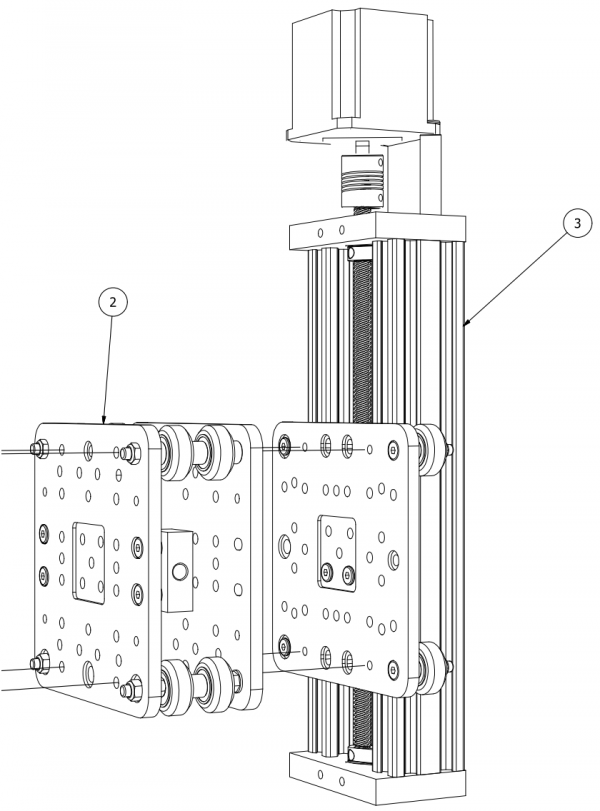
Assembly of the Lead CNC while not as simple in design as the MakerBee, is still very easy and following the assembly manual is straight forward even for those with no prior experience in assembling DIY CNC machines. The assembly manual can be compared to assembling IKEA furniture, with exploded diagrams and in-depth explanations for every step of the mechanical build. Our friendly staff are happy to help with any questions you may have with your build and are here via live chat, phone or email every step of the way.
Standard Nema23 Stepper Motors are suitable for the Lead CNC however it is recommended that Nema23 High Torque Stepper Motors are used with the Lead CNC Machine. Every Lead CNC Machine is packed using off the shelf parts, all of which are modular and sold individually on Maker Store. Acquiring replacement parts or additional parts for a modification is easily done and our friend team are happy to assist you in recommendations for modifying your Lead CNC.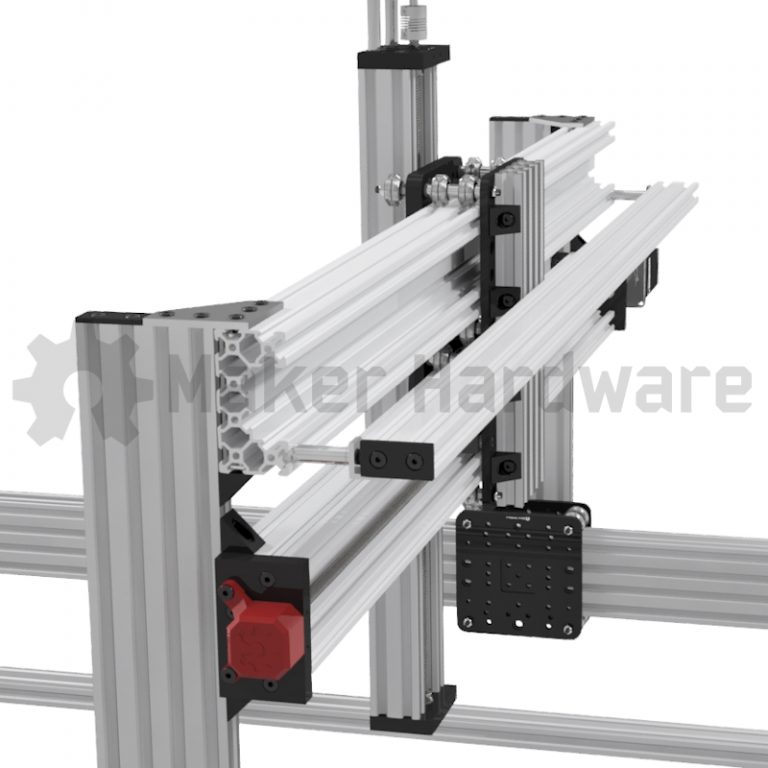
The most recent version of the Lead CNC model is Version 3. The Lead CNC Version 3 includes the High Z Modification as standard which allows the cutting height to be significantly increased. Due to the standard modular parts used in the design, many Z height sizes can be used, even up to 1.5m! Although increased Z-Height directly and adversely effects machine accuracy. The Maker Store version of the High Z Mod is designed with a support extrusion connecting the rear carriages, and the Z-Actuator installed so that it is dynamic, rather than being static as in the original High Z Mod design.
Lead CNC Machines are available the large sizes.
C-Beam Machine CNC and C-Beam Machine CNC XL
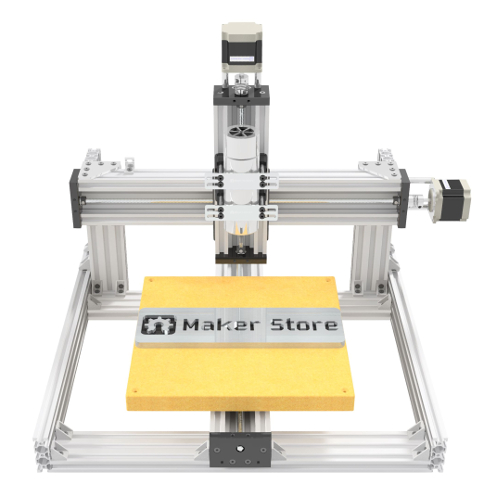 The C-Beam Machine CNC is strong and accurate CNC Milling Machine. The C-Beam Machine CNC was originally designed by Mark Carew and the design is licensed under CC – Attribution – CC BY. The C-Beam CNC was designed to be a desktop plate making machine, with the intention of milling aluminium and other materials for plates PCBs, perspex and more.
The C-Beam CNC is a desktop milling machine that can easily be placed next to your computer for use and stored in a cupboard when not in use due to it’s small footprint. This is a significant advantage compared to other CNC Routers which require a large bench space which can take up a large part of your workshop, and are not easily moved.
The C-Beam CNC is a 3 axis CNC Milling machine. Similar to the Lead CNC, the C-Beam CNC uses C-Beam actuators for the X,Y,Z with Xtreme Wheels for increase strength. Standard Nema23 Stepper Motors are suitable for the C-Beam CNC, High Torque Stepper Motors are only recommended if the spindle that is intended to be used will be heavier than 3.5kg.
The C-Beam CNC, like the Lead CNC, is easily customised and adaptable, all parts of the machine are generic and modular encouraging additions and alterations after the initial mechanical build. Every C-Beam CNC is packed using off the shelf parts, all of which are modular and sold individually on Maker Store. Acquiring replacement parts or additional parts for a modification is easily done and our friend team are happy to assist you in recommendations for modifying your C-Beam CNC.
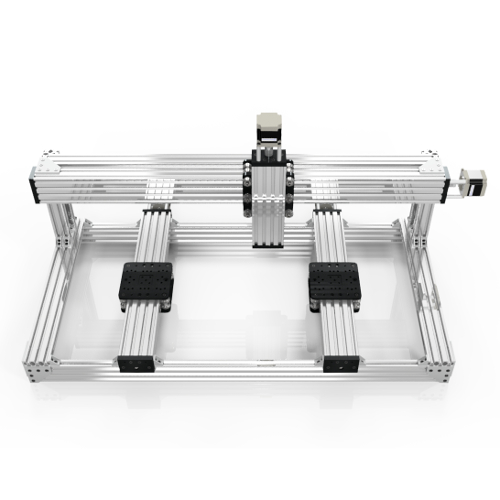
The C-Beam XL is the bigger brother of the C-Beam Machine. Still designed to be used as a CNC Milling machine, the C-Beam XL over doubles the work area of the X-Axis allowing for larger work-pieces to be machined. The C-Beam XL also has a different Z-Axis configuration, similar to the Lead CNC. The C-Beam XL is a 4 axis (3 + 1) machine, this means there are 3 physical axis (X,Y,Z) and a slave axis of Y which is called the A Axis. Standard Nema23 Stepper Motors will be suitable, however High Torque Stepper Motors are recommended, at least for the X and Z axis.
MiniMill CNC Machine
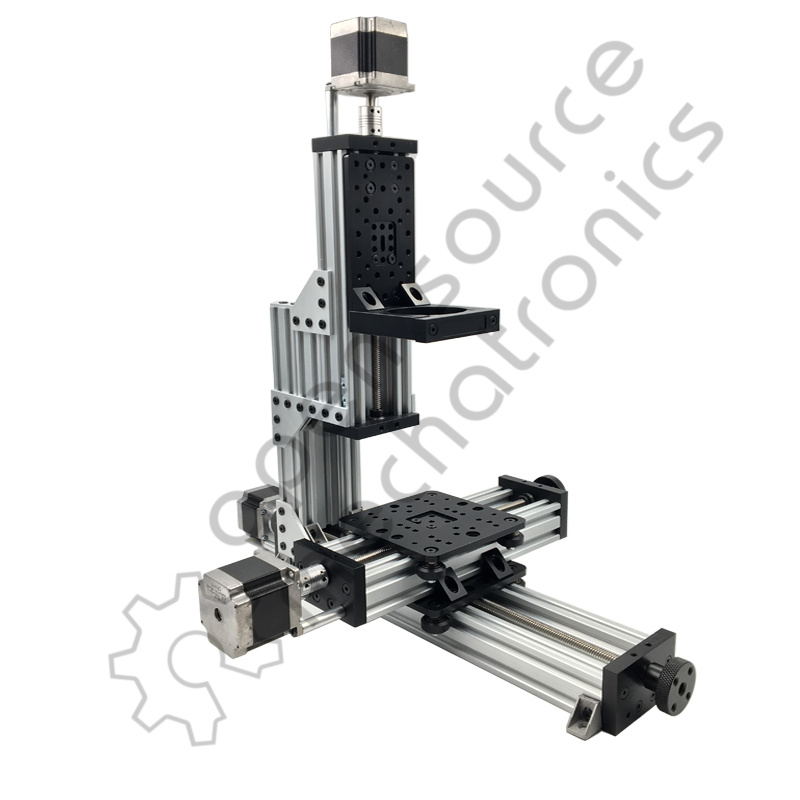
The MiniMill CNC Machine, originally designed by OpenBuilds LLC and licensed under CC – Attribution – CC BY. The MiniMill was designed to be a desktop milling/engraving machine, with the intention of milling aluminium and other materials for plates PCBs, perspex and more, as well as engraving a vast range of materials.
The MiniMill is an incredibly strong, accurate and easy to assemble desktop CNC Milling Machine. The MiniMill, like the C-Beam CNC, is a desktop milling machine that can easily be placed next to your computer for use and stored in a cupboard when not in use due to it’s small footprint. This is a significant advantage compared to other CNC Routers which require a large bench space and can take up a large part of your workshop.
The MiniMill, similar to the C-Beam CNC, is a 3 axis CNC Milling machine. Similar to the C-Beam CNC, the MiniMill uses C-Beam actuators for the X,Y,Z with Delrin Wheels. Standard Nema23 Stepper Motors are suitable for the light weight MiniMill, High Torque Stepper Motors are not recommended.
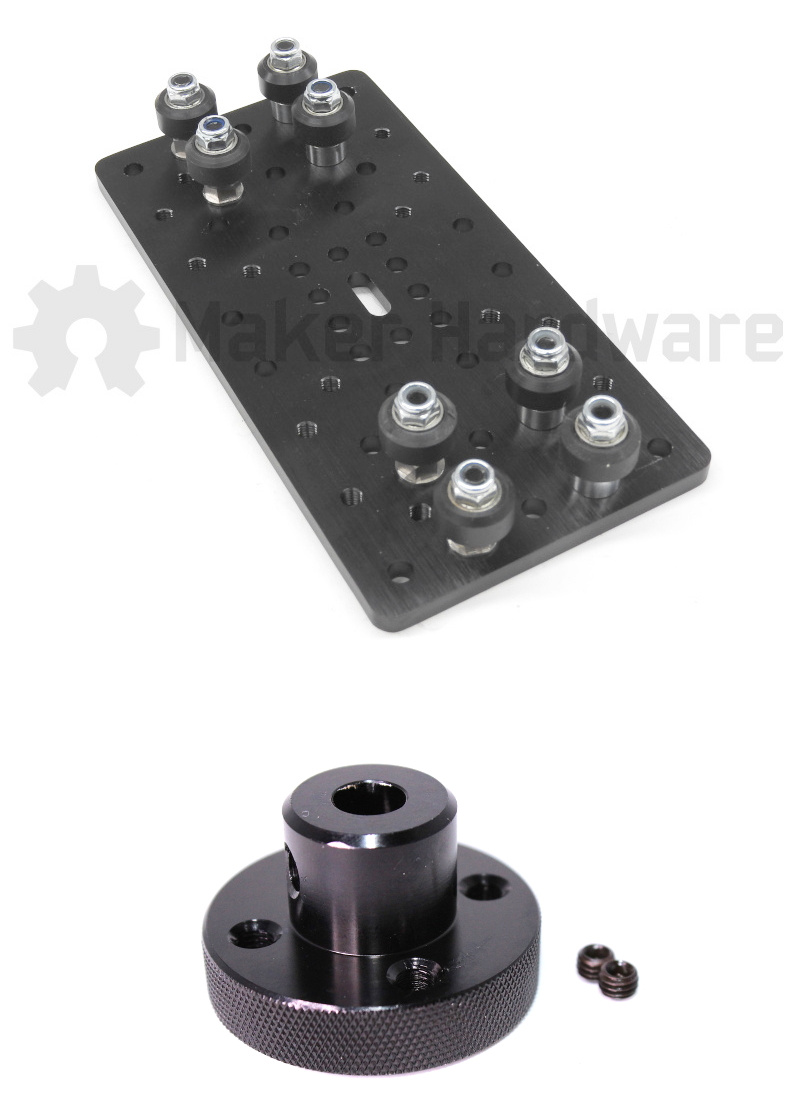
The MiniMill CNC has some nice features including Jog Knobs on the X and Y Axis that makes fine tuning the machine’s position manually incredibly easy. Also the Z-Gantry uses a Double-Wide Gantry Plate which allows for more weight to be placed on the Z-Axis. This make mounting heavier spindles an option, which are not common use on our other CNC Machines due the the weight placed on the Z-Gantry. Two handles are mounted to the sides of the MiniMill that make moving this machine incredibly easy. These nice features make the MiniMill CNC a great machine for key machining, tag engraving and more.
The MiniMill is one of the easiest CNC Machines to assemble and use, with easy to follow manuals, and simple assembly making this a perfect CNC for a beginner who has no prior experience in CNC Machines. The MiniMill, much like the Lead CNC and C-Beam CNC, uses off the shelf parts that are available individually on Maker Store. This makes the MiniMill easily customised and adaptable, all parts of the machine are generic and modular encouraging additions and alterations after the initial mechanical build.
Belt and Pulley CNC Machines
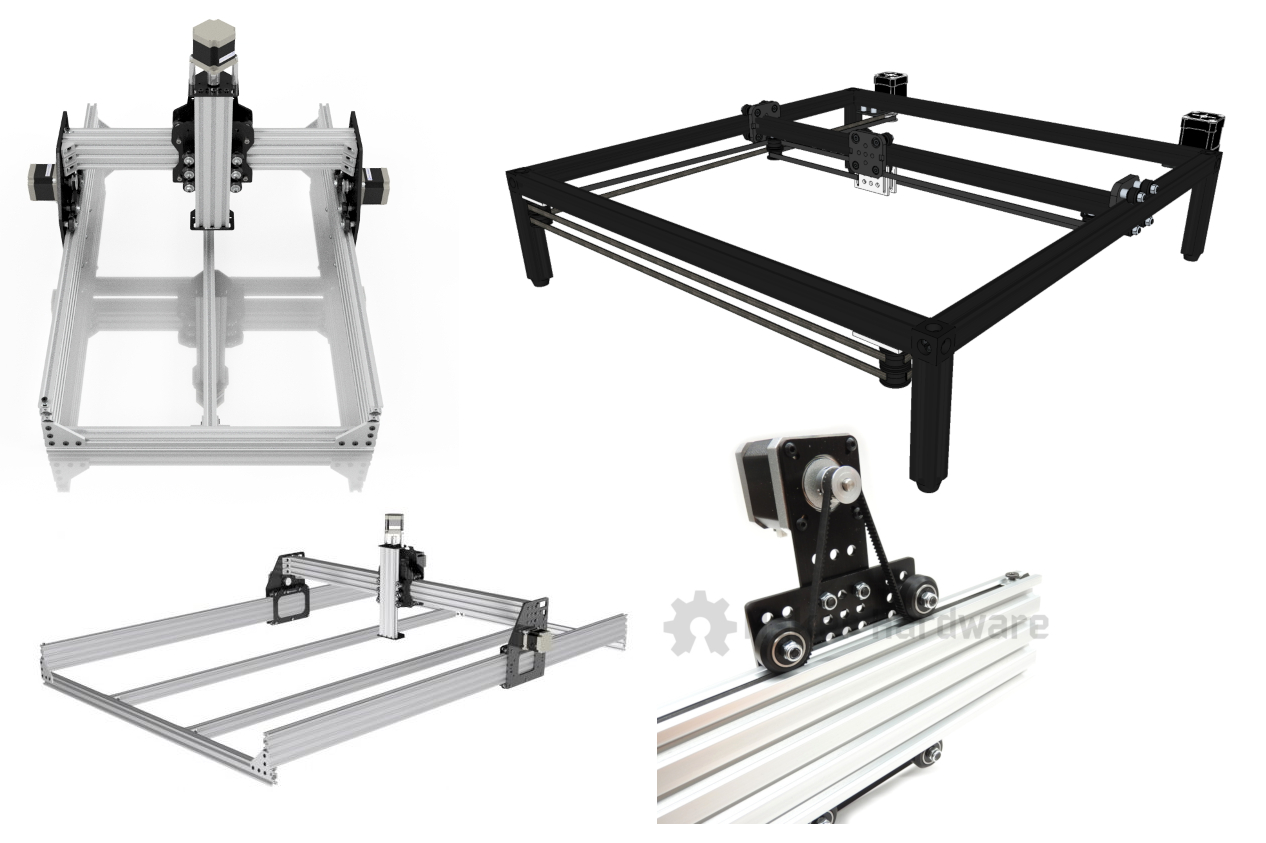 Belt and Pulley transmission is common among 3D Printer designs. The Belt and Pulley transmission allows CNC machines to be significantly lighter than their Leadscrew cousins. Belt systems are also not limited in size, making machines capable of machining whole sheets of timber (2.4m x 1.2m) possible. We have even helped design a 9m x 3m machine before using belt and pulley transmission!
The timing belt is designed to fit perfectly inside the V-Slot channel under a wheel. The rolling wheel acts as a tensioner for the timing pulleys. Many systems have been developed using this concept allowing for extremely long axis lengths.
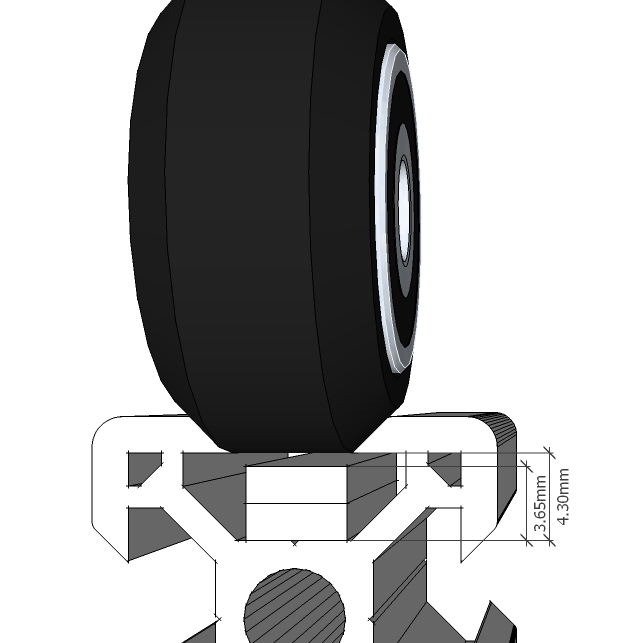
Belt and Pulley transmission has an accuracy of 0.10-0.20mm. GT Timing Belt was designed with both speed and precision in mind, with the functional speed of belt systems being close to double that of Leadscrew transmission.
Our Belt and Pulley CNC Machines come in different models each with it’s own applications, pros and cons.
Ox CNC Machine
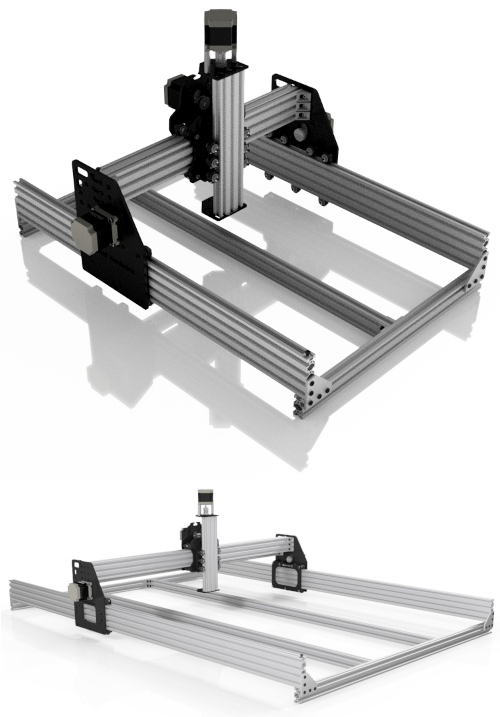
The Ox CNC is a simple designed belt driven CNC router. The Ox CNC was the foundation that the MakerBee CNC was based on. The Ox CNC is incredibly simple to assemble and is suitable for milling wood, foam, plastic, soft metals and more. The Ox has gone through several versions with the most recent being Version 4 which has gantry plates that are designed to work with belt, leadscrew and even gear rack transmission. The Ox CNC Machine is a 4 axis (3 + 1) machine, this means there are 3 physical axis (X,Y,Z) and a slave axis of Y which is called the A Axis. The Ox CNC is considered a V-Slot upgrade to ‘Carve’ CNC alternatives available on the market and utilises stronger and modular parts which make upgrading the machine very easy.
The Ox CNC is our most customisable CNC machine and can be supplied in almost any size imaginable. If the application requires a cutting area of larger than 1.5m the Ox is our solution. A common customisation of the Ox is a footprint of 3m x 1.5m which allows for a whole sheet of timber to be machined. This is incredibly desirable for woodworkers who wish to have a CNC router that can work on full sheets.
With an accuracy of 0.10-0.20mm the Ox CNC is a great router for the hobby woodworker who wants to get into CNC woodworking. The Ox CNC also costs less than it’s Leadscrew cousins, with less functional parts in the bill of materials than a Leadscrew CNC machine. The Ox CNC is easily customised and adaptable, all parts of the machine are generic and modular encouraging additions and alterations after the initial mechanical build. Every Ox CNC is packed with off the shelf parts, every part is available individually from Maker Store. The modular design of the Ox CNC makes customising the mechanical build extremely easy to do and replacing any parts affordable and easy to source.
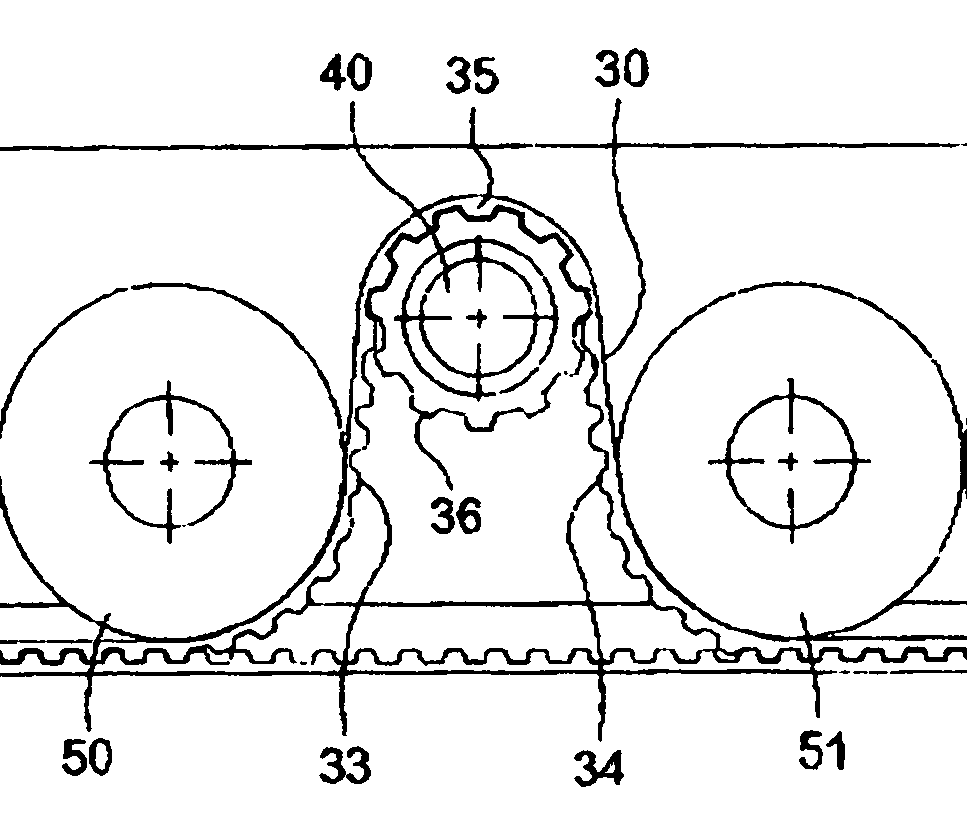
To increase accuracy of the belt and pulley transmission a system called the Everman Belt Drive System (commonly called “double belting”) can be used. This is a simple modification that reduces the flex that timing belt naturally have over long axis. Basically two belts work together to remove any stretch that is experience in the timing belt so that the only stretch is less that 30mm between the wheel and pulley. This system is explained in detail here.
The Ox CNC comes standard in sizes 500x750mm to 1500x1500mm, however this CNC Machine can be supplied in almost any size desired with common customised sizes being 2400x1500mm and 3000x1500mm. We have even helped design a heavily customised Ox CNC router that was 9×3 meters!
CoreXY Motion Machine
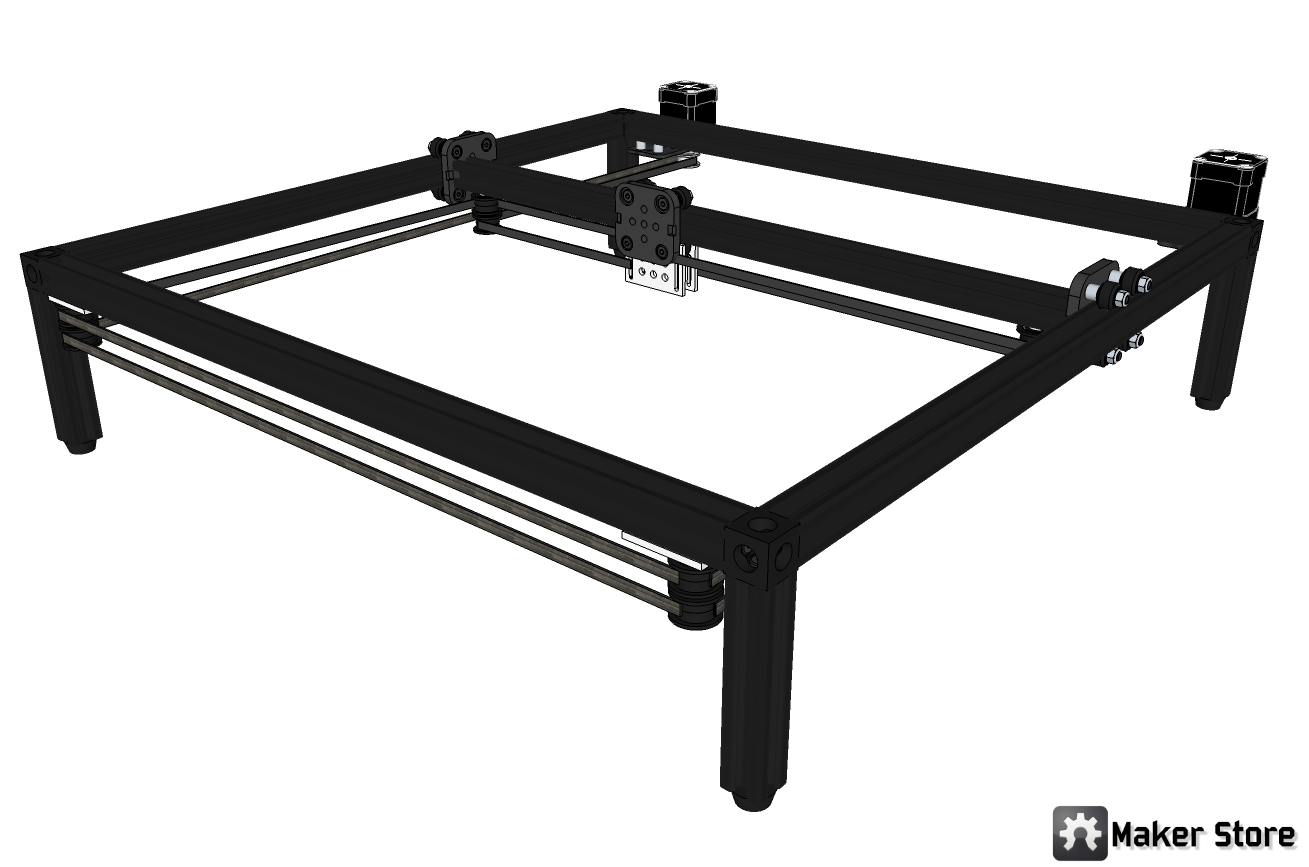 The CoreXY Motion Machine as designed by Maker Store is a very light weight 2 axis CNC motion machine ideal for a small laser engraver. This machine has weight in mind coming in with a combined weight of less than 3kg with the 2 stepper motors included!
The CoreXY Motion Machine, much like the Ox CNC, can be supplied in almost any size desired although the standard size is 500x500mm. The CoreXY is an ideal laser engraver for a 10-20W blue light laser suitable for engraving soft woods, plastics, leather, denim and more.
The CoreXY is the only CNC machine we offer that uses Nema17 Stepper Motors. Nema23 Stepper Motors are not suitable for the CoreXY machine. The intriguing motion of this machine makes this a great build for STEM projects such as education applications.
Gear Rack and Pinion CNC Machines
Ox-GEAR CNC Machine
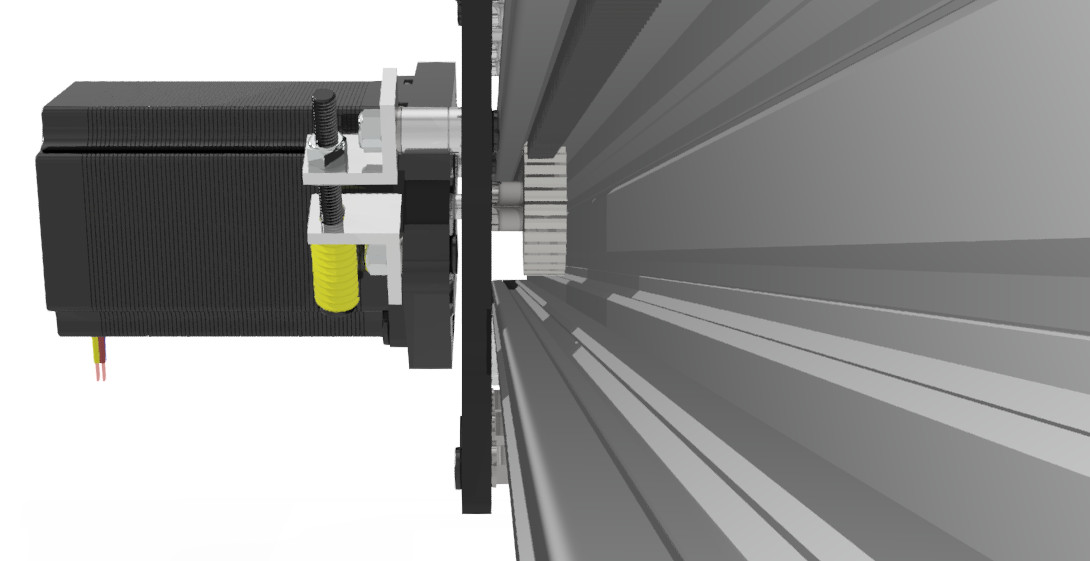 The Ox-GEAR CNC is a Maker Store upgrade to our Ox CNC belt-driven design. This Ox-GEAR upgrades the Y-Axis featuring a stronger extrusion paired with the new gear rack and pinion transmission. This allows for the length of the machine to easily go up to 3 meters (or more!) with no more belt stretch! The Ox-GEAR uses gears and racks along the Y-Axis, belt-driven along the X-Axis and lead screw for the Z-Axis.
The Internal Gear Rack was designed right here in house at Maker Store. Our Gear Racks are designed specifically to allow for continuous lengths by butt joining multiple racks in succession. With this feature, there is almost no limit to how long your axis can be! The Internal Gear Rack is designed to slide inside the channel of our V-Slot Linear Rail and works with all our different V-Slot profiles. Along the Y-Axis the Ox-GEAR benefits from the stronger C-Beam Extrusion, which also helps to keep the gear hidden away from dust. The motor is spring-loaded and mounted to keep the right amount of tension between the gear and the rack.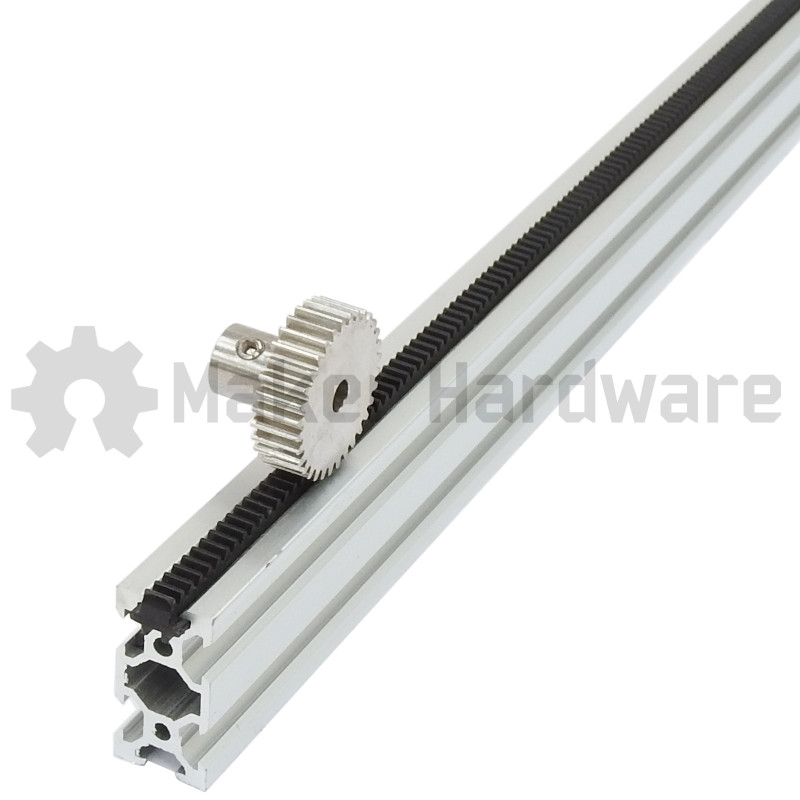
The Ox-Gear is incredibly simple to assemble and is suitable for milling wood, foam, plastic, soft metals and more. The Ox-GEAR CNC Machine is a 4 axis (3 + 1) machine, this means there are 3 physical axes (X, Y, Z) and a slave axis of Y which is called the A Axis.
The Ox CNC is our most customisable CNC machine and can be supplied in almost any size imaginable. If the application requires a cutting area of larger than 1.5m the Ox is our solution.
The Ox-GEAR has an accuracy from 0.05mm up to 0.0314mm, depending on your stepper driver‘s micro-step settings. We use 1/8 micro-stepping, and this results in having 0.063mm precision.
2. Electronic System
When it comes to deciding on an electronic system to control your CNC machine there are many opinions on the options to choose from and researching these can lead you down a rabbit hole. However, a great place to start is with the software. The choice of software to control your machine will dictate the options available for electronic hardware.
Here at Maker Store we offer several different electronic systems including; GRBL, Mach3, xPRO V5; for controlling your CNC machine, each with its own pros and cons….
GRBL

GRBL is a free, Open Source, high performance software for controlling the motion of machines that move, that make things, or that make things move, and will run on an Arduino. GRBL is ready for light duty production. GRBL does not have the functionality that professional CNC Control software have however it is still suitable for hobby level CNC Machining and small commercial applications. More time will be spent tuning and configuring the machine with GRBL.
GRBL running on the CNC Shield through an Arduino UNO is not recommended for beginners or users who have limited knowledge in programming Arduino microcontrollers.
| Pros | Cons |
|
|
E5X MCS T4.1
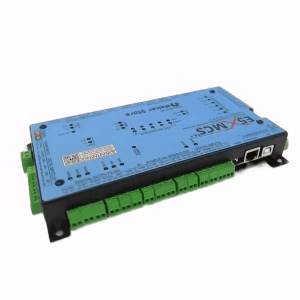
The E5X MCS T4.1 is an Ethernet-controlled 5-axis Motion Control System based on Teensy 4.1 that has been designed and is certified Australian made.
The E5X is a powerful 32-bit CNC controller, running on grblHAL firmware which is fast becoming the firmware of choice for CNC control due to increased functionality and added features, far superseding the current 8-bit CNC controllers running on the standard grbl or grbl esp32. Depending on the user’s requirements, E5X MCS can be connected via a USB or ethernet interface.
| Pros | Cons |
|
|
xPRO V5
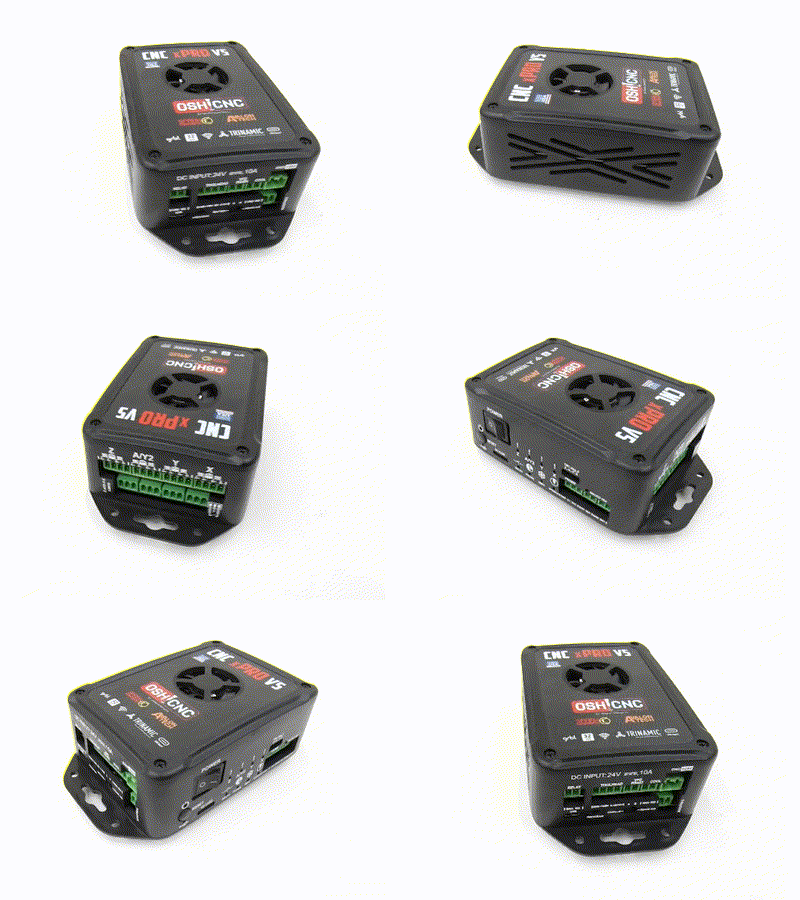 The xPRO V5 has become the Maker Store favourite and is our professional recommendation to all CNC enthusiasts. The xPRO V5 is considered an upgrade to all GRBL based controllers including the BlackBox Motion Controller.
The xPRO V5 outperforms all other motion control systems in its class boasting features including an easy plug and play connection system, high quality German 6A stepper drivers (capable of controlling a NEMA34!), and a 32 bit processor with more than 4x the processing power of other Arduino (ATmega) based controllers (including the BlackBox).
The xPRO V5 Motion Controller is pre-assembled comes pre-flashed with the latest version of GRBL. The controller is designed by Spark Concepts in the USA . This controller is easy to use and is suitable for hobby level CNC Machining as well as commercial CNC Machining. The xPRO V5 runs a port of the GRBL ESP32 firmware by Bart Dring, which is 32bit port of the GRBL by Sonny Jeon. As such, the xPRO V5 can be used with most current GRBL senders and post-processors.
The xPRO V5 is recommend to users who have little to no experience in CNC control.
| Pros | Cons |
|
|
CNC Cable Pack or CNC BYO Bundle
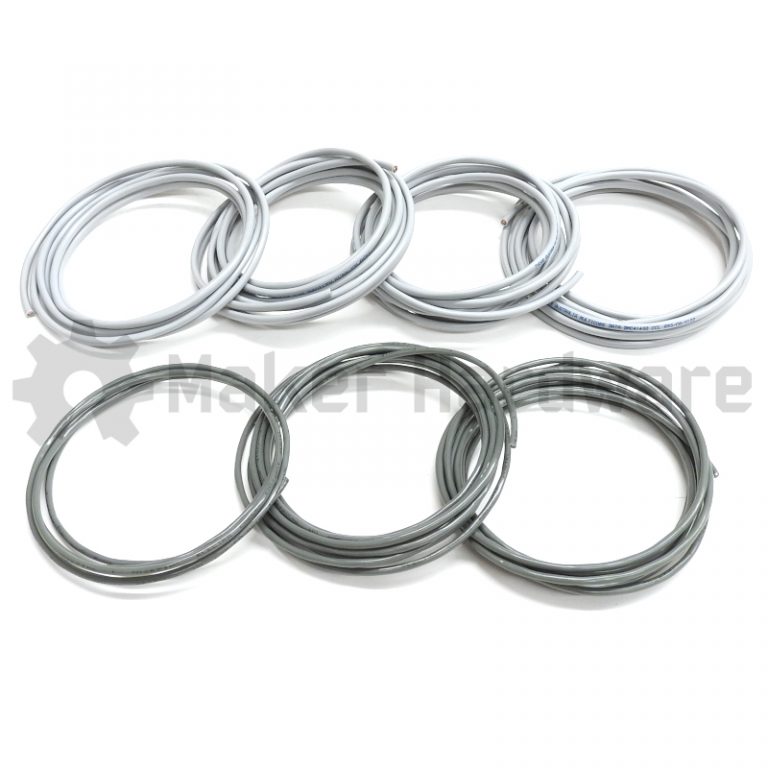
The CNC Cable Pack contains all the necessary cables for controlling 4 Stepper Motors and 3 Limit Switches. We use these in our Cable Bundles and Electronics Bundles.
This is the perfect choice if you are using your own Electronics.
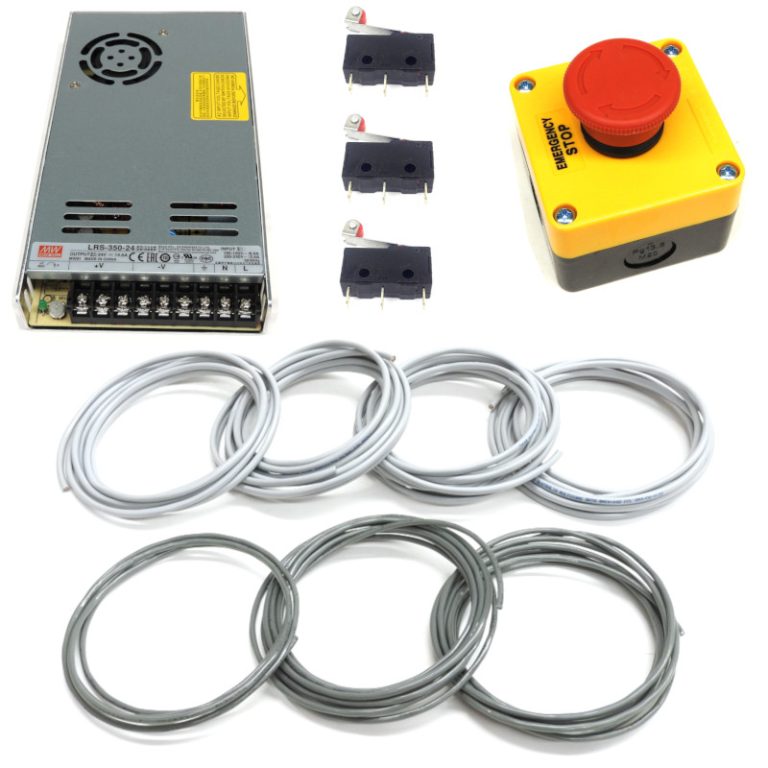 The CNC BYO Bundle is the perfect choice if you are going to use your own CNC Controller and Stepper Drivers. This bundle contains the necessary Cables, a 24V Power Supply, Emergency Stop and Homing Switches.
NOTE: Neither of these options come with a CNC Controller or Stepper Drivers.
| Pros | Cons |
|
|
Mach3 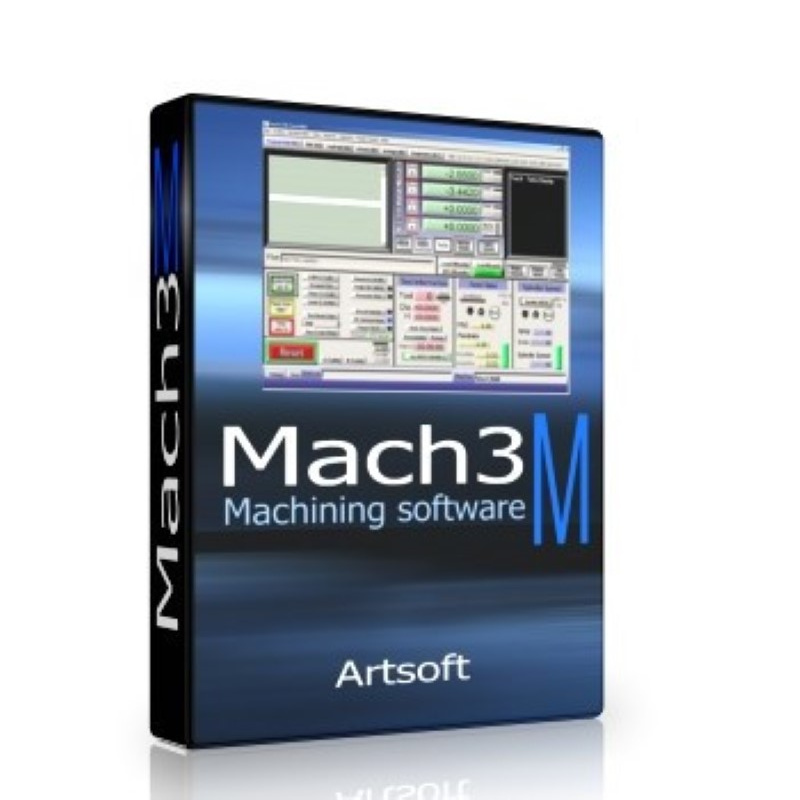
Mach3 is generally user friendly. It does require the one time purchase of a Mach3 license to install the software which is purchased either from Maker Store who is a distributor of Mach3 software, or directly from Newfangled Solutions the developers of Mach3 software. There is a restricted Demo version available for free download for testing prior to purchasing this license. Mach3 has far more functionality than any GRBL software including OpenBuilds CONTROL and is suitable for hobby as well as professional CNC machining. If you are planning on running long or complex cuts we would recommend Mach3. We run Mach3 on most of our machines and recommend it to for any machine that will be used in a commercial application.
| Pros | Cons |
|
|
UCCNC 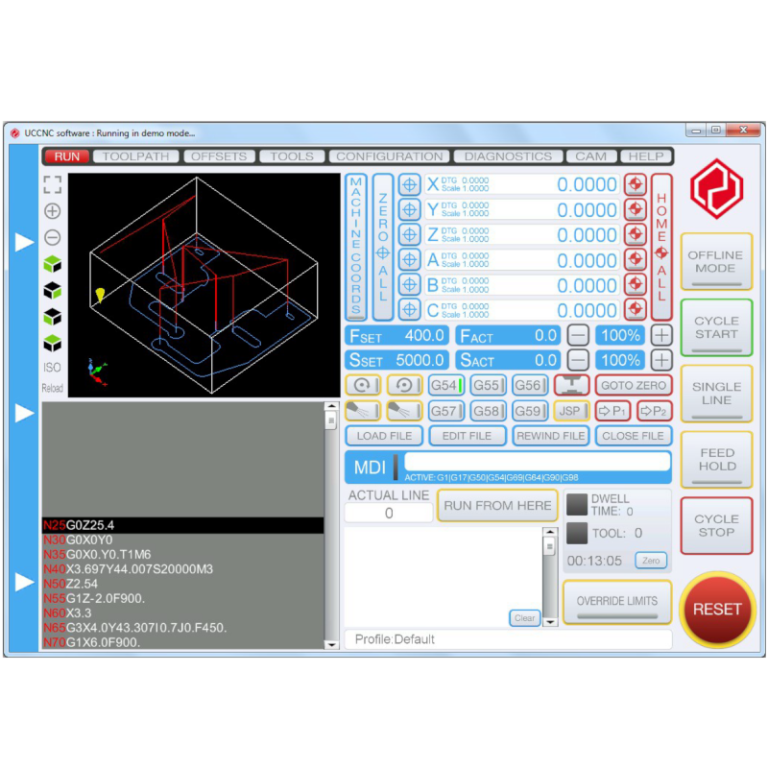
UCCNC is an alternative to Mach3 which we find to be very feature rich, as well as easier to set up. It does require the one time purchase of a UCCNC software license to install the software which is purchased either from Maker Store who is a distributor of UCCNC software, or directly from CNCDrive the developers of UCCNC software. There is a restricted Demo version available for free download for testing prior to purchasing this license. UCCNC has far more functionality than any GRBL software and similar features and functionality as Mach3. It is suitable for hobby as well as professional CNC machining.
This software connects to the external motion controller via a single USB port connection or ethernet connection (depends on the motion controller model) of a personal computer (PC) and via a software application interface (API) which is built into the software. The installer of the UCCNC software includes and completes all the tasks to make it possible to use this software on your computer. The device drivers are included in the installer too.
| Pros | Cons |
|
|
Notes:
There are many other popular software and electronic systems for controlling your CNC Machine that are not outlined here. All advise given is general and it is imperative you do your own research to ensure you choose the right system for your needs and skill set. Electronic hardware for different systems often are not compatible with other software, if you have Arduino hardware you cannot run Mach3 or UCCNC and visa versa. Choosing the electronic path for your CNC machine dictates how you will control your CNC Machine and what software you will use.
Links:
3. Cable Management
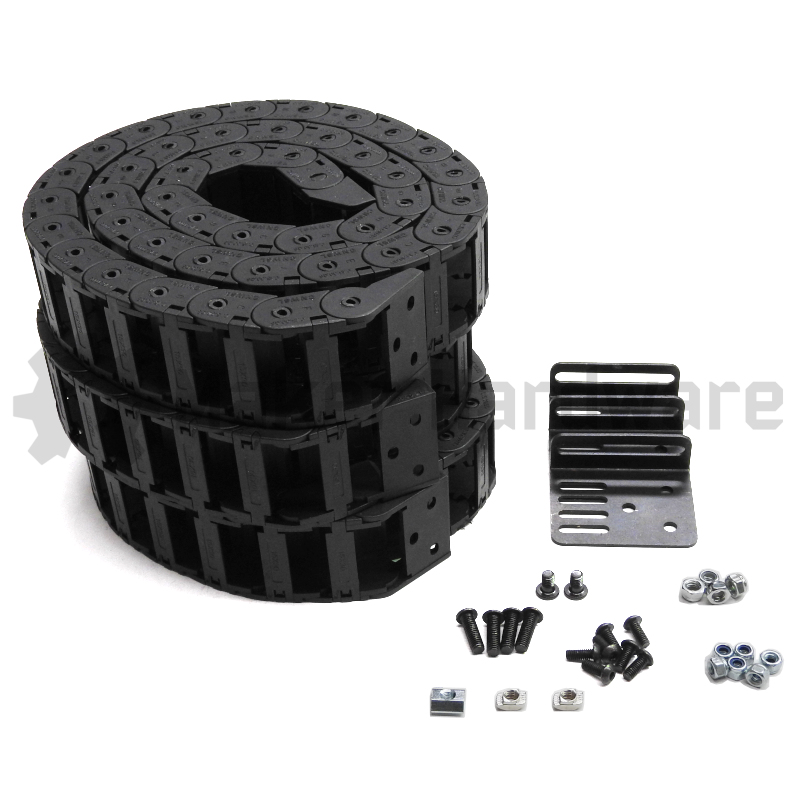 When wiring up a CNC Machine, even a simple CNC machine, there will be a lot of cable runs that are needed for all the components of the electronic system. These cables will quickly start getting in the way of moving parts and if there is no cable management there is a serious risk of damaging cables which can be extremely unsafe when the CNC machine is operating.
Simply cable tying the cables to your frame will not work because the CNC machine axis are constantly moving, so the cables too must move with the axis.
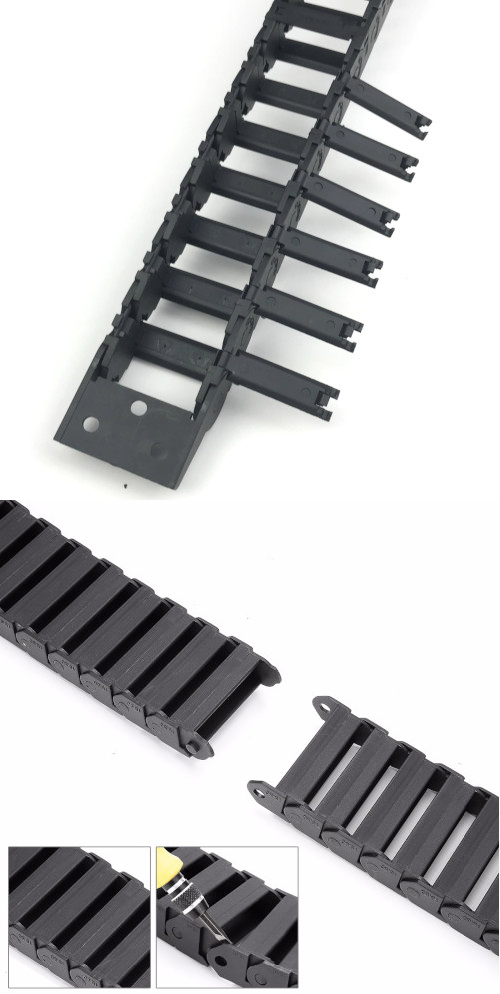
Cable Drag Chains are a solution to cable management. When it comes to cable drag chains, if you have the space for them, the larger the better. It is easier to feed a new cable through a larger drag chain than it is trying to force a cable through an already full smaller drag chain. Cable Drag Chains very quickly fill up with the numerous cables that are running around the CNC Machine.
Our 15x30mm Cable Drag Chains have each individual link able to be opened up, this is an incredibly useful feature the the smaller drag chains do not have. Drag chains can be shortened or lengthened by simply removing or joining links of the chain.
4. Spindle / Router / Other
The Cutting Tool that is mounted to the CNC Machine dictates what type of CNC machine it is. CNC Routers and CNC Mills use Routers or Spindles. CNC Plasma machines use plasma cutting tools, while CNC Laser machines use a wide range of different laser tools. There are other tools such a caulking tools and glue guns often used in sign making. Automated soldering tools are also used for creating PCBs and electronics that requires the precision that only a computer controller machine can offer.
Routers and Spindles are the most common tool mounted on the CNC machines we offer here at Maker Store, so we will only discuss routers and spindles below.
Whether you choose a router or a spindle, you will need a mounting bracket to attach the tool to the CNC machine. There are several sizes to choose from and also a universal mounting bracket that can be used to mount many different shapes and sizes.

A very common question to a newcomer to CNC routing is what is the difference between a router and a spindle? Both tools hold a router bit and rotate at high speed to cut materials.
Routers/Trimmers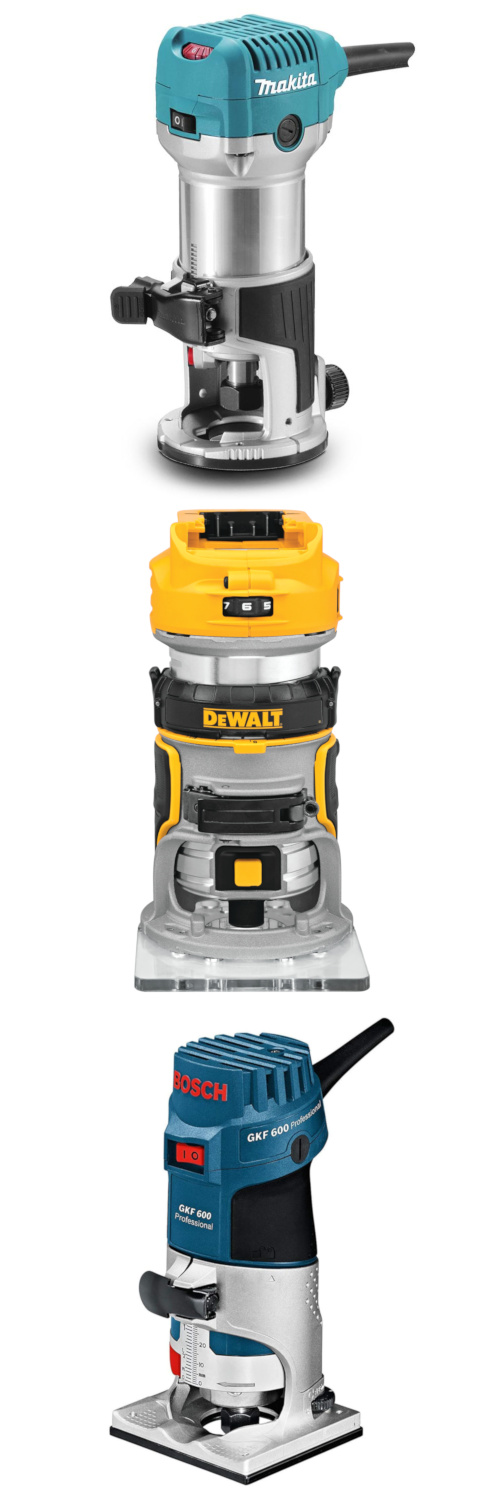
An electric router/trimmer is a woodworking tool with an electric motor that routs (hollows out) the area in the tool path by using a rotating cutting bit also called end-mill. Routers/trimmers are safe to install, safe to run, and suitable for beginners or those who do not want to wire up or program 3 phase VFD systems. Routers/trimmers are generally cheaper than spindles and usually come with a power lead ready to be plugged into the wall socket. Many modern routers/trimmers are also generally double insulated meaning risk of electrocution is less. The weight of a router/trimmer is light compared to some spindles, this means there are generally no issues when mounting a router to the Z-Axis of the CNC machine.
Routers/trimmers are not designed to run non-stop for hours at a time and as a result of this if a router/trimmer is used on the CNC machine the brushes of the router/trimmer will likely need replacing more regularly than normal. Common router/trimmer brands are Makita, Dewalt and Bosch. These routers/trimmers can be purchased at most standard tool and hardware stores and are a relatively cheap tool to mount to the CNC machine that can achieve many types of cuts. The cheap price of these routers/trimmers makes the cost of repairing the router/trimmer almost similar to the cost of a new router/trimmer, with this being the case many of the routers/trimmers are ‘throw-away’ tools that are disposed of once they stop working and replaced with an identical new unit. These routers/trimmers are the cutting tools that other companies provide with their CNC machines and have become very popular among the DIY CNC community as a result of this.
Routers/trimmers are notorious for running loud due to the frequencies involved in turning the motor. Most routers/trimmers do not have adequate speed control, meaning that there is either one fixed speed, or if there is speed adjustment it is very minimal. Routers/trimmers also cause problems as they are more prone to becoming ‘bogged’ or stuck while moving through materials during a cut which may affect the overall work-piece finish. Routers/trimmers are air cooled, there is no option for water cooling. This makes running routers for long periods or in environmental temperatures abover 30°C very temperamental and will shorten the life of the router/trimmer. The variety of tool sizes is limited on the router and the run out is also higher than that of a spindle.
In conclusion routers/trimmers are a cheap solution for a cutting tool on a CNC Machine and will perform adequately for most situations. However routers/trimmers were designed to be hand held and were not designed for CNC applications or for prolonged continuous use. Routers are also not designed for the high accuracy CNC machines can offer. A router/trimmer is a good start to CNC woodworking, they are safe to use and cheap to buy and cheap to replace.
Spindles
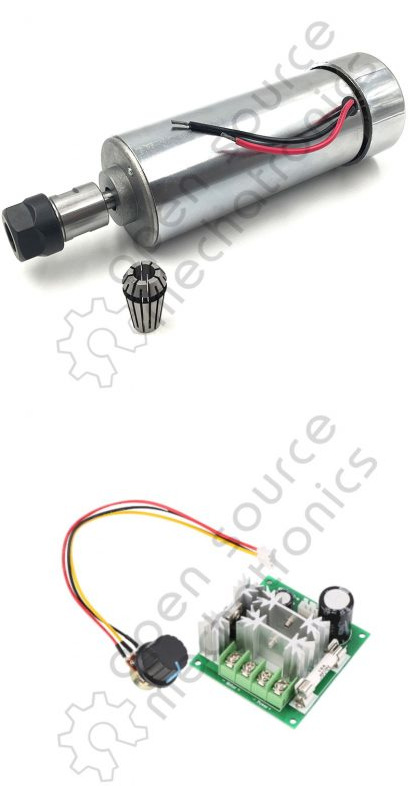
A spindle is a rotating tool that, when a cutting bit is attached, is used to machine a material. Spindles are designed for CNC applications and continuous prolonged use. A spindle is a purpose built tool for a CNC machine that has superior functionality when compared to a router/trimmer. Spindles are generally more expensive (sometimes significantly) than routers/trimmer. All spindles are electrical equipment that require knowledge and caution when installing and using. Spindles are not a tool that a novice with little electrical knowledge or skill should install. If in doubt do not attempt to DIY, incorrect installation especially of larger spindles can be fatal. Installation by a licenced electrician or suitably qualified person is recommended.
Smaller spindles are usually a DC motor similar to a router. These spindles are relatively safe to use and generally run on no more than 50VDC. If a fault condition ever occurs no serious harm will come to the user. An example of a small spindle is the 400W Air Cooled Spindle. Small spindles such as this can perform the same cuts and run times as a standard router. These spindles however have far better speed control and have a collett that allows for a wide range of tool sizes. The run out for small spindles are more accurate that a router. Small spindles are generally easy to wire with a + and – terminal on the spindle and a potentiometer that requires DC power supply.
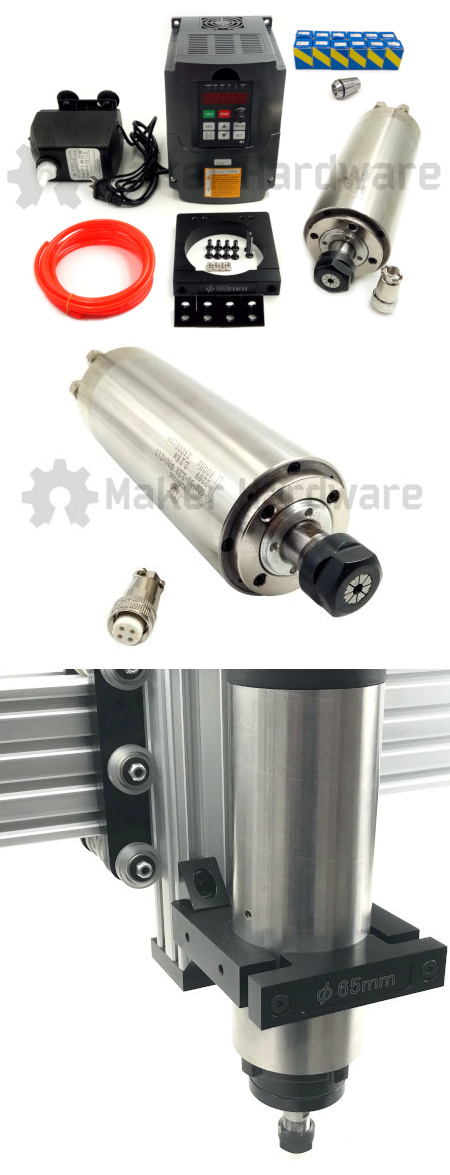 Larger spindles are a 3 phase motor that uses 220VAC+ per phase through electrical windings at high frequency to rotate a shaft. Generally spindles require the user to terminate the wires to each phase in a connector. Terminating wires can be quite difficult to an individual who does not have the experience or skills in delicate soldering. Care must be taken when terminating a spindle connector to ensure there is no short circuit between phases or earth. Spindles have a conductive metallic housing which is incredibly dangerous if exposed to voltage above 50VAC. Often the spindle’s housing (the outside of the spindle) are not grounded, and so in a fault condition such as a short circuit to one phase, the housing becomes live and if touched will give a considerable (possibly fatal) electrical shock (all large spindles sold at Maker Store now come with the spindle housing connected to the ground pin). It is imperative after installing a spindle that a continuity test using an ohms meter is performed to ensure that any metallic parts that can be touched on the spindle have correct equipotential bond to earthed so that if a fault condition occurs the spindle will remain safe. Further it is recommend that an insulation resistance test is performed on all phases. In Australia wiring rules AS/NZS 3000 and other subsequent wiring rules outline the allowable readings when performing these tests. If you do not know what the above information means do not DIY, have a licensed electrician or suitably qualified person install the equipment.
3 phase spindles run significantly quieter than routers. The run out is also considerably low and becoming ‘bogged’ or stuck while moving through materials during a cut is incredibly difficult and almost non-existent. The powerful 3 phase spindles are designed to run non-stop for hours at a time. Air Cooled Spindles can run continuously for hours on end if the environmental temperature is not too high. Water Cooled spindles with sufficient water cooling systems are designed to run continuously under load without stopping.
The weight of some spindles is high and above the designed limits of the Z-Axis on our CNC Machines. There are several ways to counteract this weight, most commonly is a gas strut rated at the same weight as the spindle effectively cancelling out the weight of the spindle. 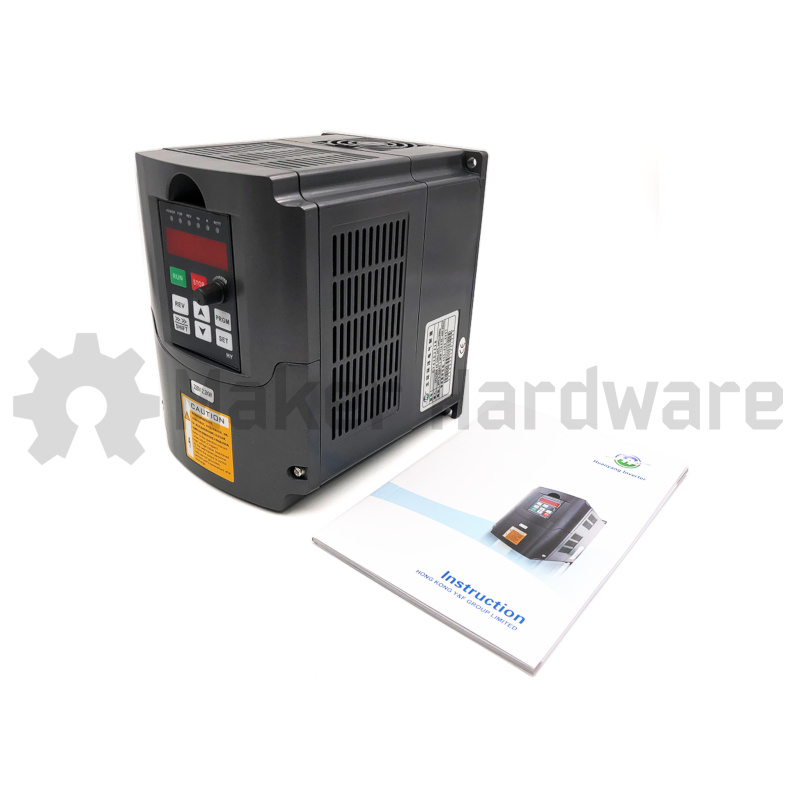
3 phase spindles are powered through a VFD (Variable Frequency Drive). This allows single phase power to be converted to 3 phase power. VFDs are complicated electrical equipment although wiring to them is generally a simple single phase input and a 3 phase output. Control wires can be wired to some VFDs which allow spindle speed control through software. VFDs also allow spindle speed control through the VFD control panel which is generally buttons or a dial. VFDs parameters are generally not set from factory for a spindle and do require programming of parameters to suit the application. If critical parameters are set incorrectly a spindle can be irreversibly destroyed in less that 10 seconds. It is imperative that the user thoroughly reads through the VFD manual and completely understands the parameters and settings.
In conclusion spindles are tools that are built to be used on CNC machines. Spindles are quieter, more accurate and have more functionality including speed control and wider range of end-mills/bits that can be used. Spindles require attention to detail when wiring and several electrical tests to ensure the correct wiring and safety of the spindle. Also VFDs can be complex to set. A spindle is a much better cutting tool than a router, however it does come with it’s challenges.
|
SAFETY STATEMENT The author of this document is not liable or responsible for any accidents, injuries, equipment damage, property damage, loss of money or loss of time resulting from improper use of electrical or mechanical or software products. Assembling electrical and mechanical CNC machine components like power supplies, motors, drivers or other electrical and mechanical components involves dealing with high voltage AC (alternating current) or DC (direct current) and other hazardous items which can be extremely dangerous and needs high attention to detail, experience, knowledge of software, electricity, electro-mechanics and mechanics. Before starting please read though all instructions. |
Please note that any advice given is general, E&OE. We recommend doing your own research as well. If you have any questions please contact sales@makerstore.com.au