While playing with Visual Studio (free download) and testing how to interface a Windows based program with an Arduino UNO I put together a little program to test a servo motor.
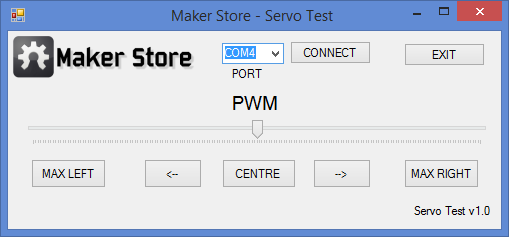
There are a couple of steps to take:
1. Load the Arduino Sketch onto the UNO using the normal Arduino IDE.
#include <Servo.h>

Servo servoMotor;
int servoPin=9;
int value=0;
int angle;
int x;

void setup(){
 Serial.begin(9600);
 servoMotor.attach(servoPin);
}

void loop(){
 if(Serial.available() >0)
 {
 value = Serial.read();
 if(value>0){
 x=value;
 }
 }
 else if (x>=0 && x<=180){
 angle=x;
 servoMotor.write(angle);
 }
}
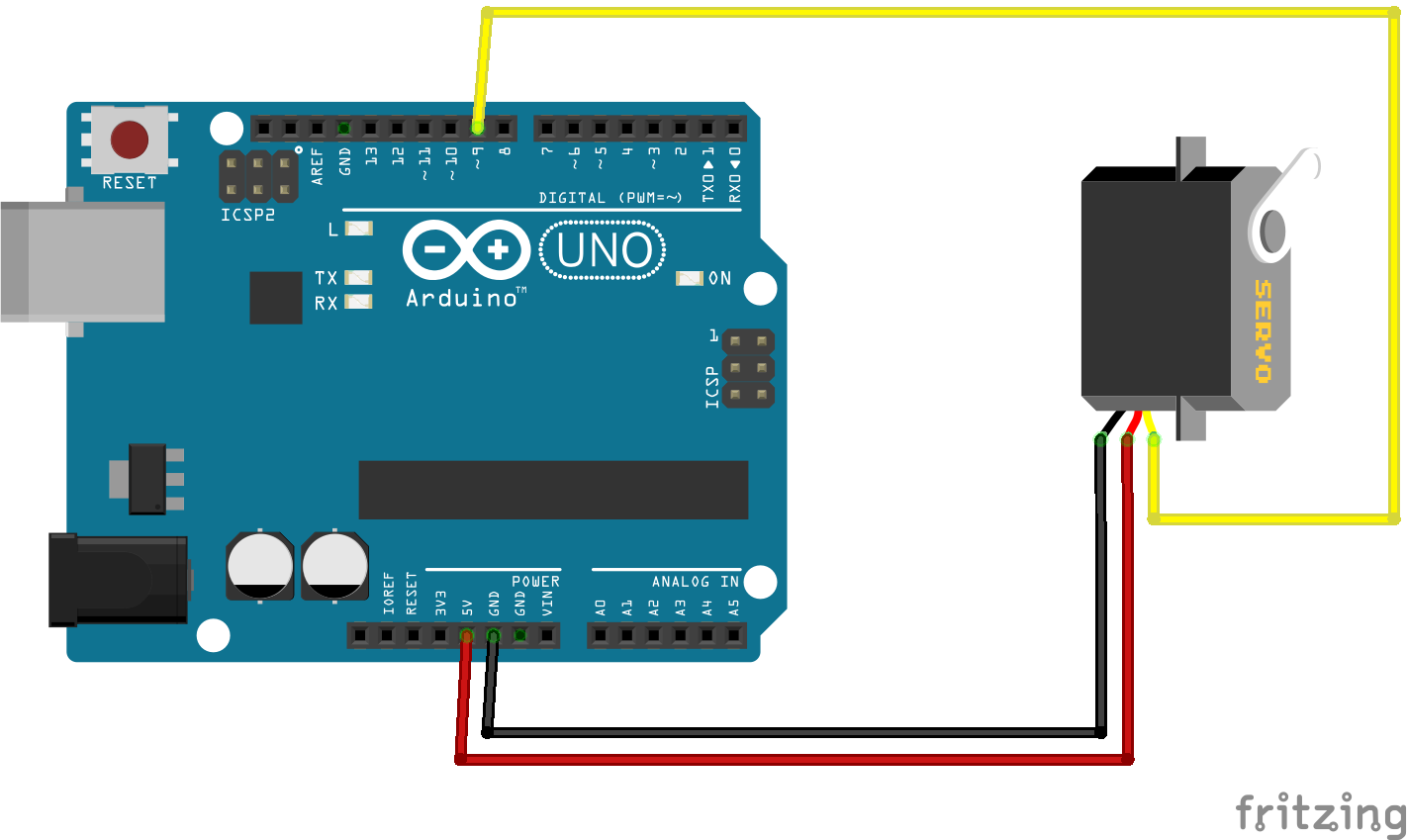
2. Build the circuit.
It is very basic, only need:
- UNO
- Servo
- Jumper wires
3 . Run the servo test program.
The exe file is here:
4. Done.
A couple of notes:
- Make sure the UNO is connected before you run the exe or the COM port will not show up.
- The servo is connect to pin 9 on the UNO.
- Movement is between 1 and 180.
- The left and right arrow keys will move the servo -/+ 1 at a time (can hold to move continuously).
- If you want the Visual Studio code and/or solution/project please send me an email
Enjoy and as always feedback is welcome (especially as the C# program is very efficient).